Here's an uncomfortable truth most Shopify SEO advice skips: your collection pages should outrank your homepage for the majority of your money keywords.
"Women's linen dresses," "ceramic pour-over coffee makers," "matte black bathroom faucets." Nobody searches for your brand when they're ready to buy. They search for the category. And on most Shopify stores we audit, the category pages are thin, auto-generated shells that Google has no reason to rank.
We've rebuilt collection page architecture across 200+ Shopify stores, and it's consistently one of the highest-leverage fixes we make. In this guide, we're sharing exactly how we approach shopify collection seo: the page structure, the copy, the internal linking, and the technical settings that separate collections that rank from collections that rot on page four.
You'll walk away with a repeatable framework you can apply this week, whether you have 12 collections or 1,200.
Why Collection Pages Are Your Biggest Untapped Asset
Most merchants pour everything into product pages and blog content, then treat collections as an afterthought. That backwards.
A product page targets one product. A collection page targets an entire category, higher search volume, stronger buying intent, and way more ranking flexibility. Google can rank a well-built collection page for dozens of long-tail variations, because the page itself demonstrates topical depth.
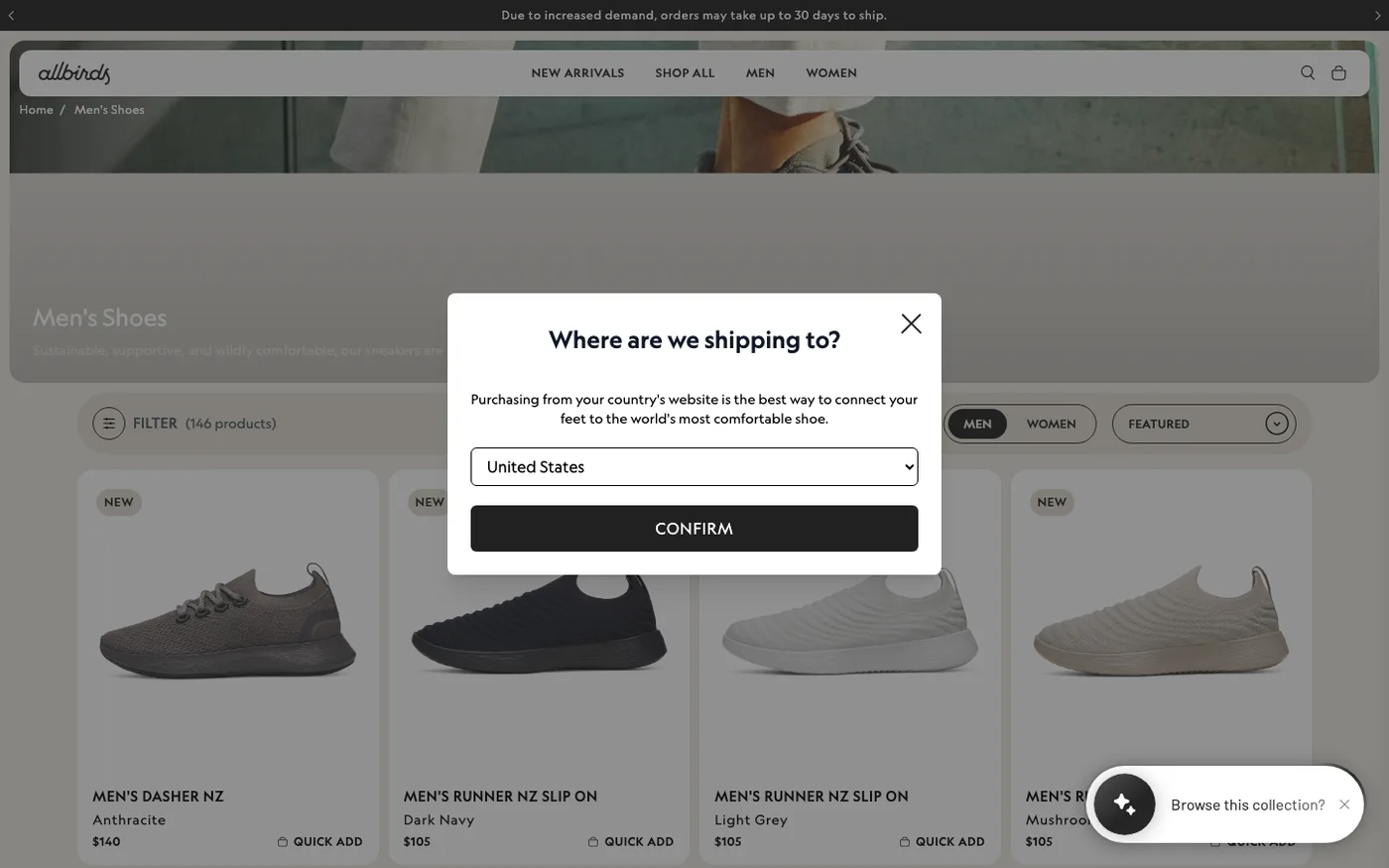
The problem is that Shopify's default collection setup works against you. Out of the box, you get a grid of product images, a one-line description buried at the bottom, a paginated URL structure, and faceted navigation that spawns infinite parameter URLs. Google's crawler hits that and sees a page with very little unique content and a lot of near-duplicate URLs.
None of this is unfixable. It's just not fixed by default.
The Structure of a Collection Page That Ranks
When we rebuild a collection template, we think of it as having three layers: the merchandising layer (what shoppers see), the content layer (what Google reads), and the crawl layer (how Googlebot moves through it). Most stores only have the first one.
Fix the Heading Hierarchy First
Your collection name should be the only H1 on the page, and it should match the keyword, not your internal merchandising jargon. We've had clients insist on naming a collection "The Everyday Edit" when the page targets "women's cotton t-shirts." Google ranks pages for what the page says, not what you wish it meant. Put the clever name in a subtitle if you love it that much.
Move Your Description Above the Product Grid
Shopify themes default to rendering the collection description below the product grid, which is terrible for both users and crawlers. Shoppers on mobile often never scroll past the products, and Google treats below-the-fold boilerplate as less important.
We restructure the template so a portion of the description, two to four sentences, sits above the grid, with a longer expanded section below. If your theme doesn't support this natively, most modern themes (Dawn, Impulse, Prestige) do via theme editor settings, and it takes a developer under an hour to move in a custom theme.
Write Description Copy That Isn't Boilerplate
This is where 90% of stores fail. We routinely audit stores where every collection description is some variation of "Shop our amazing selection of [keyword]. Free shipping on orders over $50!" That's not content. That's keyword stuffing from 2014.
A collection description that ranks does four things:
- Answers what this category is and who it's for, in plain language
- Mentions the main sub-types and use cases (which captures long-tail variants naturally)
- Handles the objection buyers have at the category level (fit, material, compatibility)
- Reads like it was written by someone who sells this stuff for a living, because it was
How long? In our experience, 250–400 words in the combined description areas is the sweet spot. We've tested longer copy and it rarely helps; below 150 words, you're leaving rankings on the table. Write for the buyer, sprinkle the keyword and natural variants where they belong, and stop.
Add Unique Elements Beyond the Grid
The strongest collection pages we build include elements that generic templates don't have: a short FAQ block, a buying-guide snippet, curated sub-collection links ("Shop by size," "Shop by material"), and a couple of lifestyle images with descriptive alt text. These give the page substance that competitor pages don't have, and they keep users on the page longer.
A word of caution: don't add all of this with apps. We've torn down more than a few stores where a "collection page enhancer" app was injecting content via JavaScript after page load. Google renders JavaScript, but slowly and inconsistently. Content that matters should be in the theme's Liquid, not bolted on by an app.
Shopify Collection SEO at Scale: Pagination and Faceted Navigation
This is the technical half of the work, and where most of the real damage happens.
Pagination Done Right
Every paginated collection page at ?page=2, ?page=3, and beyond is a near-duplicate of page one in Google's eyes. Shopify handles this reasonably well out of the box: paginated pages self-canonicalize, which is correct. But your internal linking determines whether link equity reaches deep products.
Three things we do on every build:
- Increase products per page where possible (we aim for 24–48) to reduce total paginated pages
- Ensure your theme's pagination links are crawlable HTML anchors, not JavaScript-only buttons
- Manually link to your most important collections from the homepage and main navigation so equity flows into them
Faceted Navigation: The Silent Killer
Every filter on your collection page (color, size, price, vendor, tag) generates a new parameterized URL. A store with 40 collections and a dozen filter options can easily have 100,000+ crawlable URLs, most of them thin duplicates. Google's crawl budget gets spent on filter permutations instead of your actual pages.
Check your own situation first. Run a crawl with Screaming Frog (or check Coverage in Google Search Console) and count URLs with parameters. If that number is more than 5–10x your real page count, you have a problem.
The fix depends on your situation:
- If the filtered views aren't worth ranking: Shopify's default behavior (self-referencing canonicals on parameter URLs) is fine. Don't panic-block them in robots.txt, because that prevents Google from seeing the canonicals.
- If some filtered views deserve to rank ("red linen dresses," "size 12 running shoes"), don't rely on filters. Create static collections or use the Shopify Search & Discovery app to build curated sub-collections, then link to them properly from the parent collection. Filters are for users; collections are for rankings.
- On Shopify Plus with heavy catalogs: you have more control via
robots.txt.liquidedits and custom meta robots rules. Use it carefully. One wrong line and you can noindex your entire catalog.
Internal Linking: The Part Everyone Underestimates
Google's understanding of your collections comes largely from how you link between them. A collection page that nothing links to is a collection page that won't rank, no matter how good the copy is.
Our standard internal linking pattern for Shopify stores:
- Homepage links to your 6–10 most important collections, with descriptive anchor text (not just "Shop now")
- Every collection links to 3–5 closely related sibling collections in the description or a "Related categories" block
- Products link back to their primary collection via breadcrumb navigation (enable breadcrumbs in your theme or add structured data manually)
- Blog posts link to relevant collections whenever the topic overlaps; a post about styling linen should link to your linen collection
That last point is underrated. Blog content is the easiest source of contextual internal links, and almost every store underuses it. If you want a model for how content and collections feed each other, our breakdown of SEO ROI covers the compounding effect in detail.
One more thing: keep your collection URLs stable. Changing a collection handle breaks links, loses social shares, and forces redirect chains. Decide your URL structure before launch and treat it like a tattoo.
Technical Checks Before You Call It Done
Before we ship a collection page rebuild, we run the same checklist on every store. Run yours through it too.
- Title tags. Format:
[Keyword-Focused Collection Name] – [Brand]. Keep it under 60 characters. Shopify uses your collection title plus the store name by default, which often produces awkward titles you'll want to override them via your theme settings or an SEO app. - Meta descriptions. 150–160 characters, written like ad copy, with the primary keyword near the front. Shopify auto-fills these from your description, and it's usually terrible.
- Canonicals. Verify each collection has a single self-referencing canonical. Watch for apps that inject their own canonical tags and create duplicates in the head. This happens more than you'd think, especially with translation apps.
- Indexation. Search
site:yourstore.com/collectionsin Google and compare against what you expect. Any important collection missing from that list has a crawl or indexation issue worth investigating in Google Search Console. - Speed. Collection pages are often the heaviest pages on a Shopify store because they load 20–50 product images. Run the page through PageSpeed Insights and compress your product images: WebP, under 200KB each where possible. Image weight is the single most common reason collection pages fail Core Web Vitals.
What We'd Skip (and When DIY Is Fine)
Honest take: if your store has under a dozen collections and modest traffic, you do not need an agency for this. Write the descriptions, fix the title tags, link the collections together, and you're 80% of the way there.
Where DIY stops being enough: large catalogs with faceted navigation problems, collections that have been stuck on page two for months despite decent content, or migrations where URL structures change and rankings are on the line. Those are the situations where a wrong setting costs you real money, and where the systematized process matters more than the individual tactic.
Frequently Asked Questions
How many words should a Shopify collection page have?
We recommend 250–400 words of unique description copy split above and below the product grid. Shorter than 150 words and the page usually lacks enough substance to compete for competitive terms. Much longer rarely helps rankings and starts to push products down on mobile, which hurts conversions. The copy should read naturally for buyers; word count is a guideline, not the goal.
Should I use collection descriptions for every collection, including small ones?
Yes, but scale the effort. Your revenue-driving collections deserve full 300-word descriptions written by hand. A collection with three products in it needs two honest sentences, not filler. Google ignores boilerplate, and customers can smell it too. Prioritize your top 10–20 collections by traffic potential and do those properly first.
Do collection page filters create duplicate content problems?
They can. Every filter combination generates a parameterized URL, and on large catalogs this creates thousands of thin near-duplicate pages. Shopify's default self-canonicalizing behavior handles most cases fine, but if Google is crawling far more URLs than your real page count, audit with Screaming Frog and consider curating your important filter combinations as static collections instead.
Can I rank collection pages without backlinks?
For low-to-medium competition niches, yes, solid on-page structure, unique copy, and strong internal linking can get you to page one. For competitive commercial keywords, you'll eventually need external links. Collection pages attract links more easily than product pages because they're evergreen and useful as references, so building a genuinely good collection page is also your linkable asset.
Does it matter which Shopify theme I use for collection SEO?
Less than people think. Any modern theme can rank well. What matters is that you can move the description above the grid, control title tags and meta descriptions, and add custom content sections. Older themes with hardcoded layouts may need a developer's touch, but that's a one-time fix, not a reason to replatform.
Get Help With This
Collection page optimization is one of the first things we tackle in an SEO engagement, and it's often where the fastest wins are. If you'd rather have a team that's done this across hundreds of Shopify stores handle the audit, the copy structure, and the technical cleanup, take a look at our Shopify SEO service and see if we're a fit.
