Shopify checkout customization is the single most misunderstood topic we run into with new clients. Merchant wants a gift-message field moved, a custom upsell before the pay button, or a trust badge under the order summary. Developer says "can't do that on Shopify." Half the time the developer is right, and half the time they just haven't kept up with what the platform allows now.
We've rebuilt and re-themed 200+ Shopify stores as a Shopify Partner and Shopify Plus Partner agency, and checkout work is in almost every single one. In this post we'll break down exactly what you can customize on each plan, which apps and native features get you there, and the workarounds we use when the platform draws a hard line.
Shopify Checkout Customization by Plan
This is the section most agencies gloss over, and it's the one that decides your budget. What you can touch depends entirely on your plan tier.
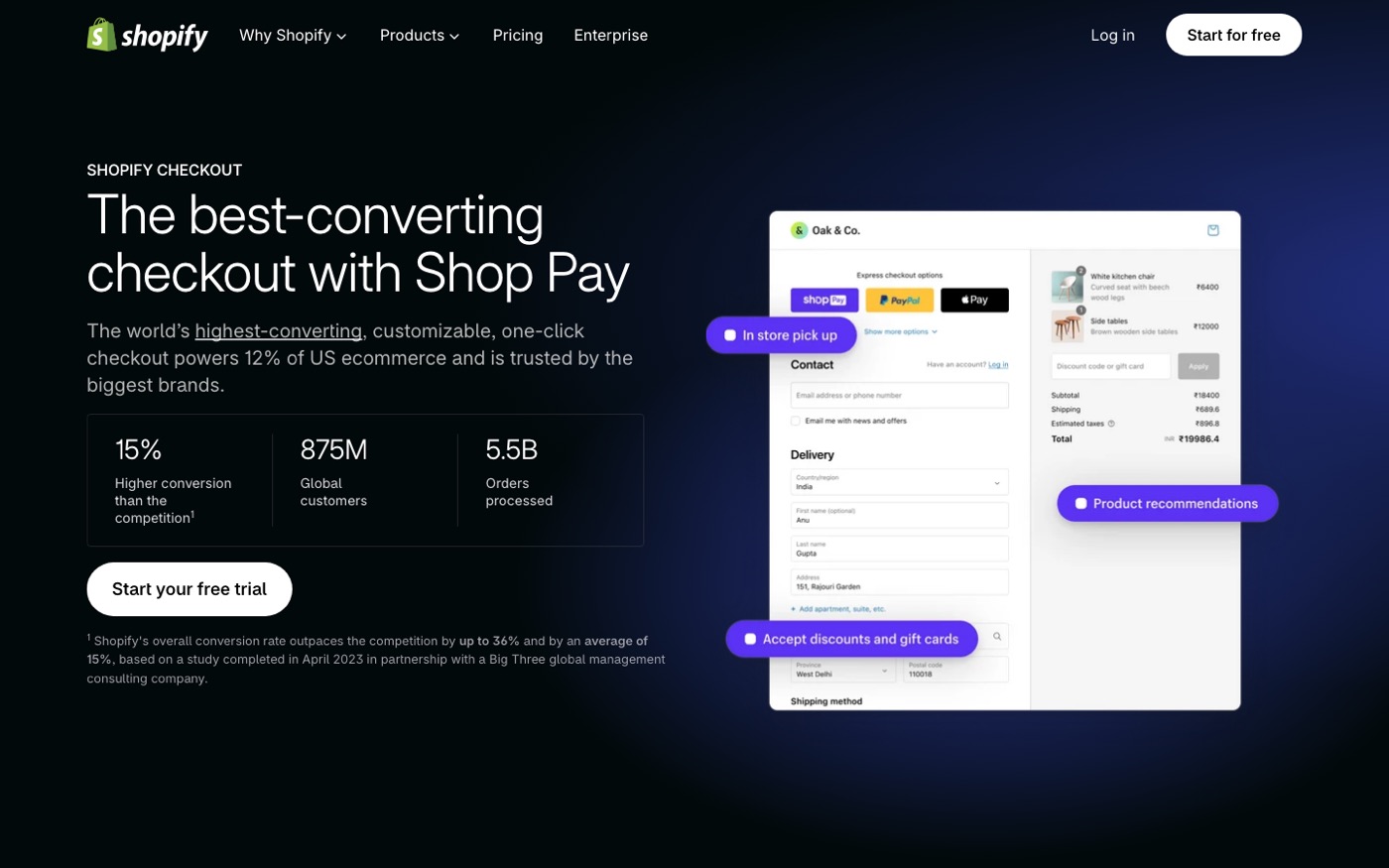
Shopify Basic / Shopify / Advanced (shared checkout): Since Shopify rolled out checkout extensibility, all paid-plan merchants get access to a limited but genuinely useful set of checkout apps from the Shopify App Store. You can add checkout UI extensions (things like custom fields, banner messages, image blocks, and "shop with confidence" badges) using apps like Releasit Form Builder or Shopify's own Checkout Blocks. You can't edit the underlying template code, but you can inject content into defined slots on the information, shipping, and payment pages.
Shopify Plus: Everything above, plus checkout.liquid-level access through checkout extensibility functions. That means custom validation logic (block PO boxes, enforce phone number formats), custom shipping and payment methods, post-purchase upsell pages via apps like AfterSell, and full visual control over branding. Plus also gets you the B2B checkout features and checkout API access for headless builds.
Here's the honest part: most stores below $2M a year don't need Plus for checkout reasons alone. The UI extension apps cover 80% of real-world requests. Where Plus earns its keep is the custom logic. If you need to validate a tax ID at checkout or restrict shipping to specific ZIP codes dynamically, that's Plus territory.
What's Easy on Every Paid Plan
A lot of what merchants call "checkout customization" is actually just settings and theme options. Before you spend a rupee on apps:
Checkout settings: Go to Settings → Checkout in your admin. Here you control whether checkout is one page or three steps (Shopify now offers one-page checkout to all plans), whether customers can check out with email or phone, whether account creation is required, and which contact methods show. Toggling to one-page checkout alone is often worth a measurable conversion lift on mobile.
Checkout branding: In Settings → Checkout → Customize, you can change colors, fonts, logos, and background images for the whole checkout flow. This is fully open on every paid plan. Match your brand here. The default checkout looks generic and generic reads untrustworthy at the moment of payment.
Thank-you and order-status pages: You can edit these with apps and, on Plus, fully customize them. On standard plans, apps like UpCart or native options get you order-tracking tweaks and post-purchase surveys.
Language and content: Checkout wording, form labels, and error messages can all be edited under Online Store → Themes → ... menu → Edit default theme content. Most stores never touch this. Changing "Shipping" to "Delivery (free over $50)" in the right places is free money.
Custom Fields, Upsells, and Logic: Where It Gets Real
Once you move past settings, you're in app-and-extension land.
Custom fields (gift notes, delivery dates, VAT numbers): Use a checkout UI extension app like Releasit or HulkApps Form Builder. These inject fields into defined checkout slots and write the data to order notes or metafields. Costs run $10–$30/month typically. The catch: on shared checkout, fields can only go in approved slots. Clients always want the field "right under the shipping method" and sometimes that slot doesn't exist. Scope it before you promise it.
Checkout upsells and cross-sells: This is where we push back most often. On standard plans you can't add a product offer into the checkout flow itself, only post-purchase (after the order completes) via apps like AfterSell or Zipify OCU. Post-purchase offers convert decently, around 5–10% take rates in our experience, but they're not the same as an in-checkout upsell. If in-checkout upsells are a core part of your strategy, that's a Plus-or-nothing decision, and you should factor that into platform cost.
Custom validation: Only Plus, via Shopify Functions. We've used this for a fashion client to block orders containing final-sale items to certain countries, and for a food brand to enforce minimum order values per ZIP code. Functions are written in Shopify's flavor of Rust/WASM, which is genuinely painful to debug. Budget developer time accordingly or hire someone who has shipped Functions before.
One-page checkout layout tweaks: Even on standard plans, UI extension apps can reorder some blocks and hide others. Don't expect pixel-perfect control. Clients who send Figma files of their dream checkout usually need a reality check: on shared checkout you decorate and augment, you don't redesign.
The Apps We Actually Use (and One We Don't)
Tool talk matters more than theory, so here's our working list:
- Checkout Blocks (Shopify-made, free to start): banners, image blocks, custom fields, address instructions. Our default first install.
- Releasit Form Builder: when Checkout Blocks can't handle the field logic a client needs.
- AfterSell Post Purchase Upsell: the most stable post-purchase upsell app we've used. It rarely fights with themes.
- UpCart: cart-drawer customization, which is technically pre-checkout but where most upsell revenue actually lives.
- Shopify Functions (Plus): custom discounts, validation, shipping logic.
The app category we usually tell clients to skip: checkout countdown timers and fake scarcity widgets. They add JavaScript weight to the most performance-sensitive page on your store, and most customers see through them. If your offer is genuinely expiring, say so in a banner. If it isn't, don't fake it. It erodes trust and the conversion lift is short-lived.
There's also a compatibility trap worth knowing about. Checkout extensibility apps do not work on the old checkout.liquid architecture, and Shopify removed checkout.liquid entirely in 2024. If a store was built before that and hasn't been touched since, the first step of any checkout project is often remediation work before a single customization happens. We covered the platform-side of these rebuild decisions in our guide to whether Shopify Plus is worth it, and the same calculus applies.
What Breaks When You Customize Checkout
The failure modes we see most:
Analytics double-firing. Many checkout apps fire their own purchase events alongside Shopify's native ones. If you see revenue in Meta Ads Manager that's 30% higher than Shopify, this is almost always why. Audit your pixel and CAPI events after installing anything checkout-related.
Payment method conflicts. Adding custom payment logic via Functions or apps occasionally breaks accelerated checkouts like Shop Pay or Apple Pay. Test every wallet after every change. We do this as a checklist item, not a nicety. Our Shop Pay breakdown covers which parts of the accelerated flow you cannot customize.
Mobile layout stacking. Checkout UI extensions render inside Shopify's grid, but custom content blocks can stack awkwardly on small screens. Preview on a real phone, not just the theme customizer's mobile view. We've shipped extensions that looked fine in preview and pushed the pay button below the fold on an iPhone SE.
App conflicts on shared checkout. Two checkout apps fighting for the same slot will silently drop one of them. If a field or banner disappears after installing a new app, that's the first thing to check.
A Practical Prioritization Order
If budget is limited, do checkout work in this order:
- Settings and branding pass (free): one-page checkout on, minimal required fields, brand-matched styling, edited default content. Do this today.
- Trust and clarity content (free or cheap): return policy summary, delivery estimates, and payment badges visible on checkout via Checkout Blocks. This is where CRO effort pays best.
- Custom fields your operations actually need ($10–$30/month app): delivery date pickers, gift messages, order tags. Only add fields that someone downstream reads.
- Post-purchase offers ($30–$100/month): once the core flow is clean.
- Plus-level logic ($2,300+/month): only when the revenue math justifies it.
Steps 1 and 2 alone typically move checkout conversion 5–15% for the stores we audit. The rest is incremental. If your CRO work is further along and checkout is already tight, pairing checkout tweaks with broader experiments is covered in our Shopify CRO service, and that's where testing and iteration come in.
Frequently Asked Questions
Can you customize checkout on Shopify Basic?
Yes, more than most merchants realize. All paid plans can use checkout UI extension apps, edit checkout branding and colors, adjust checkout settings, and modify default checkout content. What you can't do on Basic is write custom validation logic or fully restructure the checkout template, and that's Shopify Plus territory.
Do I need Shopify Plus to edit checkout code?
For custom logic and functions, yes. For visual changes, fields, and banners, no. Checkout extensibility apps handle that on every paid plan. Since Shopify retired checkout.liquid in 2024, even Plus merchants use checkout extensibility functions rather than editing template files directly.
Which checkout apps work best for custom fields?
We default to Checkout Blocks (built by Shopify, free tier available) and move to Releasit Form Builder when we need conditional logic or more field types. Both write data to order notes or metafields so fulfillment teams can actually see what customers enter.
Will checkout customization break my analytics?
It can, if an app fires duplicate purchase events. Always compare your ad platform revenue against Shopify's reported revenue after installing checkout apps, and check your Meta Pixel and CAPI setup for double-counting within the first week.
Is one-page checkout better for conversions?
In most cases yes, especially on mobile. Shopify made one-page checkout available to all plans in 2024, and our tests have generally shown it reducing time-to-purchase. Test it on your store with real traffic before assuming, since very high-AOV products sometimes benefit from the step-by-step build.
Get Help With This
Checkout work looks small until you hit a validation rule or an analytics double-fire at the worst possible moment. Our team has shipped checkout customizations for stores on every plan tier, from Basic branding passes to Plus Functions builds. If you want your checkout reviewed and customized properly the first time, see our Shopify development service for how we scope and deliver this work.
