A few months ago, a merchant came to us asking why Google was showing the wrong price for their bestselling product in search results. Their product page said $49. The search snippet said $29. The sale had ended two weeks earlier. We opened the page source and found the problem in thirty seconds: three different apps were injecting conflicting JSON-LD blocks for the same product, and Google had picked the stale one.
That story is more common than it should be. Shopify structured data is one of the highest-leverage, lowest-effort SEO wins available to a merchant. Shopify produces most of it automatically, but "automatically" doesn't mean correctly, and it definitely doesn't mean completely. It doesn't require a redesign, it doesn't touch your rankings directly, and in our experience it's the difference between a plain blue link and a result with stars, price, and stock status staring a shopper in the face.
This post covers which schema types actually matter for Shopify stores, which ones are noise, how to implement JSON-LD without breaking your theme, and how to validate what Google actually sees.
What Shopify Structured Data Actually Does
Structured data is machine-readable markup (usually JSON-LD) that tells search engines exactly what the content on a page represents. Google's crawler is smart, but it guesses. It guesses that this number is a price, that number is a rating, this text is a brand name. Schema markup removes the guessing. You explicitly declare: this is a Product, its name is X, it costs $49, it has 214 reviews averaging 4.7, it's in stock, and it ships in 2 days.
When Google trusts that markup, it can enhance your listing with rich results. For ecommerce, the ones that matter are product snippets (price, availability, rating), breadcrumb trails, FAQ accordions, review stars, and site links search box. A listing with star ratings and a visible price consistently earns a higher click-through rate than a plain snippet for the same position. We routinely see CTR lifts of 15–30% on product queries once rich results kick in. You don't rank higher; you get more traffic from the same ranking.
Worth stating clearly: schema markup is not a ranking factor. Google says so itself. It's a presentation factor. But CTR is a ranking-adjacent signal, and the compounding effect is real.
The Schema Types That Matter for Shopify Stores
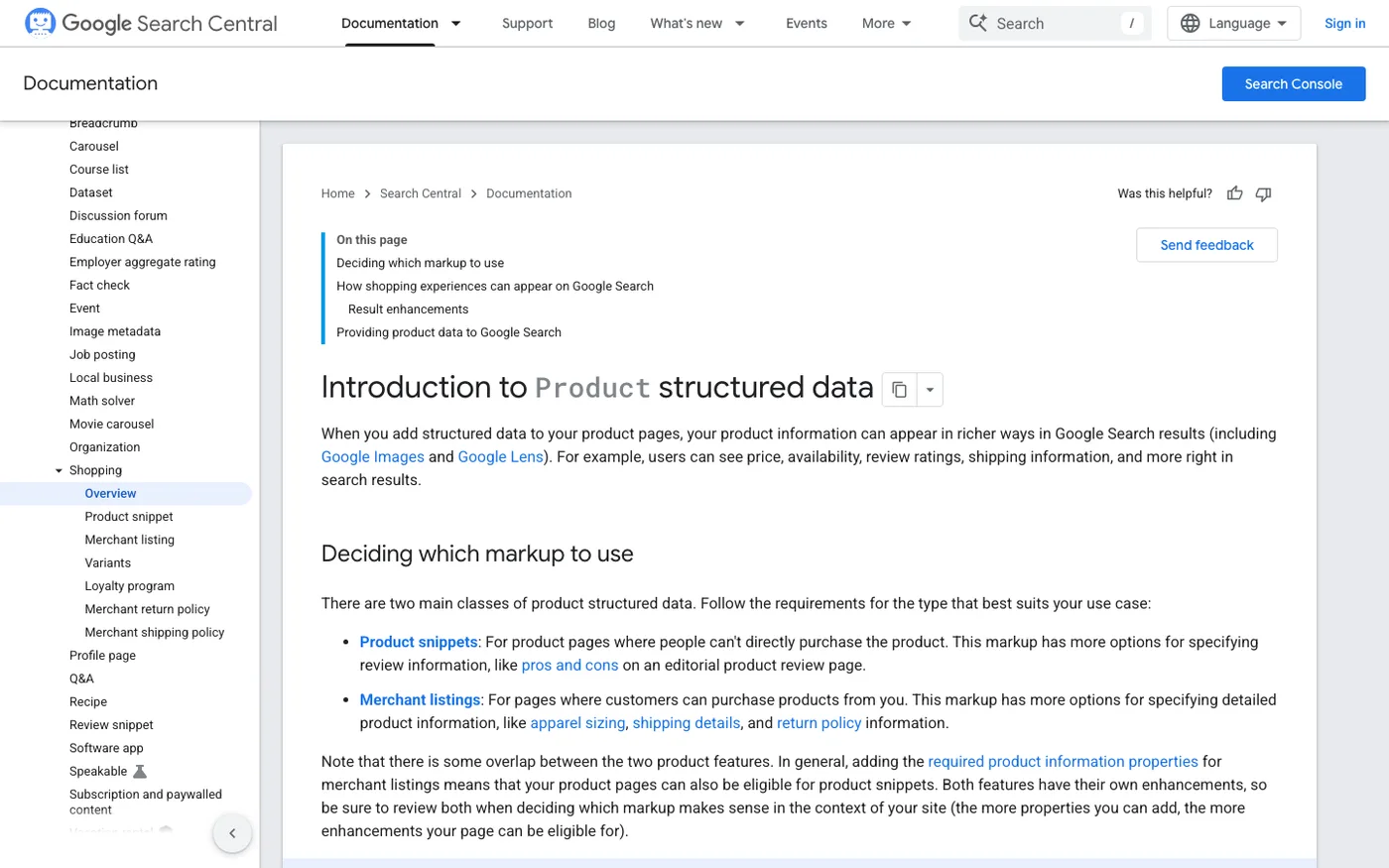
Most schema advice online lists twenty types you "should" implement. Most of that list is filler. For a Shopify store, five types cover nearly all the value:
- Product: name, image, SKU, price, availability, review ratings. The single most important type for ecommerce.
- Offer: usually nested inside Product, but it's what powers the price and stock status in the snippet.
- BreadcrumbList: shows the category trail (Home › Shoes › Running) instead of a raw URL.
- Organization / Store: your logo, name, and social profiles, which feed Google's knowledge panel.
- FAQPage: the expandable Q&A boxes that can take up serious real estate on informational queries.
Everything else (Article, VideoObject, HowTo) is situational. If you run a content-heavy blog, Article markup is trivial to add and worth having. We skip HowTo almost everywhere; Google's been cutting back on those rich results anyway.
What Shopify Adds Automatically (and Where It Breaks)
Shopify's Liquid themes output a base layer of JSON-LD: Product and Offer markup on product pages, BreadcrumbList on most templates, and Organization via your theme settings. On a fresh, unmodified theme this is usually valid. The problems start the moment you install apps.
Review apps are the biggest offender. Loox, Judge.me, Yotpo, and Okendo all inject their own Product markup to attach aggregate ratings. That's fine in theory, except most of them don't merge with Shopify's native block. They create a second Product object on the same page. Google then has to reconcile two competing sets of facts about the same URL. Sometimes it merges them correctly. Sometimes it drops your ratings entirely. Occasionally it picks the wrong price, like in the example at the top of this post.
The fix depends on the app:
- Judge.me and Loox have settings to disable their standalone schema and merge into existing markup. Turn that on.
- Yotpo tends to inject the most aggressive duplicate blocks. Check whether you have its schema setting enabled at all; in many installs the default works fine because it replaces rather than duplicates.
- Some apps have no toggle at all. In that case you have to suppress the app's JSON-LD via a code edit in
theme.liquidor a snippet override. If you're not comfortable editing Liquid, this is a twenty-minute job for a developer.
The other common breakage: prices in the wrong currency, or sale prices that never update because an app cached the markup. If you run frequent sales, test your markup after every price change for a while, not just once.
Step-by-Step: Auditing Your Existing Structured Data
Before adding anything, find out what's already there and what's broken. Here's our exact process on every audit:
- Pick a sample. One product page with reviews, one without, a collection page, your homepage, and your most-trafficked blog post.
- Run the Rich Results Test at search.google.com/test/rich-results. Paste each URL and note every warning and error. Google flags missing fields like
aggregateRating,offers.priceValidUntil, andshippingDetails. - Cross-check with Schema.org validator (validator.schema.org). The Rich Results Test only validates what Google uses; the validator catches broader structural issues like duplicate @id values or malformed nesting.
- Crawl with Screaming Frog. Set it to extract structured data under Configuration > Spider > Extraction, then crawl your whole store. This is how you find broken schema on pages you'd never think to test manually. Filter for "Product" and export the errors.
- Check Google Search Console. The Enhancements report shows how Google has classified your pages over time. If it says "0 valid items" for products while your theme claims to output markup, you have a parsing problem somewhere.
Do this quarterly. Apps update, themes update, and markup that validated six months ago can silently rot.
Adding Custom JSON-LD Without Breaking Your Theme
The safe way to add schema to Shopify is a custom snippet, never editing what apps or the theme generate. Create snippets/custom-schema.liquid and render it inside theme.liquid right before the closing </head> tag:
{% render 'custom-schema' %}
Inside the snippet, conditionally output JSON-LD based on the template:
{% if template == 'index' %}
<script type="application/ld+json">
{
  "@context": "https://schema.org",
  "@type": "Organization",
  "name": {{ shop.name | json }},
  "url": {{ shop.url | json }},
  "logo": {{ 'logo.png' | asset_url | prepend: 'https:' | json }}
}
</script>
{% endif %}
For FAQ pages, we build the JSON-LD dynamically from the theme editor so content managers can add Q&A pairs without touching code. We create a FAQ section in the theme with blocks for each question-answer pair, then loop over them in Liquid to output the markup. This keeps the visible content and the markup in one place, which matters because Google ignores FAQ markup that doesn't match what's on the page.
A few hard rules we've learned by breaking things:
Never duplicate Product markup on a product page. Extend the existing one, don't add a second one. If your theme's output is inadequate, edit the theme's product template or use an app designed to manage schema, not both.
Don't mark up content that isn't visible. Hidden FAQ schema was a popular trick. Google cracks down on it. The Q&A must render on the page.
Use Google's preferred format. JSON-LD in a script tag. Not microdata sprinkled through HTML, not RDFa. JSON-LD is what Google recommends and what every Shopify tool ecosystem assumes.
Escape everything. That | json filter in Liquid isn't optional. Unescaped quotes in a product title will silently kill your entire markup block.
Where FAQ and HowTo Markup Fit (and Where They Don't)
FAQPage markup deserves a special mention because every SEO tool pushes it and most merchants use it wrong. It works best on pages targeting informational intent: your shipping policy, size guides, "how to care for" content, comparison posts. We use it heavily on our informational content and almost never on product pages.
For product pages, the honest tradeoff: FAQ schema can win you that accordion box, but it also lets users get answers without clicking through, which can reduce sessions on low-intent queries. We keep product-page FAQs short and transactional (shipping time, returns, warranty) because those answers remove purchase objections rather than satisfy curiosity.
If you want to build FAQ sections without code, several SEO apps (the ones from the major Shopify app developers, plus schema-specific tools like Schema Plus) handle this. We're lukewarm on most of them. They work, but they add subscription cost for something a one-time theme edit handles permanently. Pay for an app only if your team will never touch code.
Validating and Monitoring After Implementation
Implementation isn't done when the code ships. It's done when Search Console confirms Google parsed it. Expect a lag of days to a few weeks between deployment and the Enhancements report updating. For a store with thousands of SKUs, full re-crawling can take a month or more, so prioritize canonical pages with a sitemap resubmission in Google Search Console.
Watch the Enhancements report weekly during the first month. Two failure patterns we see constantly: "Missing field price" (usually a variant-handling bug where only some variants output the price) and "No global identifier" (add GTINs or MPNs to your product data in Shopify admin; without them, product markup validates but performs worse). GTINs are worth the data-entry pain if your catalog is under a few thousand SKUs.
For stores where we've done full structured data cleanups, rich result coverage typically jumps from 40–60% of product pages to 90%+ within six weeks, and product CTR on branded and non-branded queries climbs from there. It's not glamorous work. It's plumbing. But it compounds with everything else in your SEO program, which is why it's a standard line item in our SEO engagements rather than an upsell.
Frequently Asked Questions
Does Shopify have built-in structured data?
Yes, partially. All current Shopify themes output Product, Offer, BreadcrumbList, and Organization JSON-LD automatically. The problem is that review apps and customizations often inject conflicting duplicate markup, which is why audits almost always find errors even on untouched stores.
Is JSON-LD better than microdata for Shopify?
Google's official recommendation is JSON-LD, and it's what the entire Shopify ecosystem assumes. Microdata works, but it's harder to maintain in Liquid templates and mixes presentation with markup. Use JSON-LD in a script tag and nothing else.
How long does it take for rich results to appear after adding schema?
Typically one to four weeks after Google re-crawls the page, sometimes faster on high-authority stores. Use Search Console's URL Inspection tool to request re-indexing on priority pages rather than waiting for organic crawling.
Can schema markup get me penalized?
Misleading markup can. Marking up reviews you don't have, prices you don't charge, or FAQ content that doesn't exist on the page can trigger a manual action that strips all your rich results. Accurate markup, even if incomplete, carries no risk.
Do I need an app to add structured data to Shopify?
No. A theme snippet handles custom JSON-LD permanently for free. Apps make sense only if your team won't edit code or you want ongoing schema management alongside reviews and SEO tooling, but the core markup types in this post need no app at all.
Get Help With This
Structured data is detail work where small mistakes quietly cost you clicks. If you'd rather have someone handle the audit, cleanup, and monitoring for you, check out our Shopify SEO service. We'll fix your markup, win back your rich results, and tie it into a broader organic growth plan.
