In March, a supplements client emailed me a screenshot of their new upsell popup. Take rate: 0.6%. Cart abandonment: up 9% in two weeks. The app was working exactly as advertised. The placement was the problem. The popup fired the moment someone opened the cart and asked for more money from a shopper who had not even decided to check out yet.
Same store, second attempt: a one-click offer placed after payment cleared. Take rate: 7% in the first month. Abandonment did not move, because there was nothing left to abandon. The order was already captured before the ask.
That contrast is why "which upsell app is best" is the wrong first question. The right one is "which placement do I start with, and which app owns it." Over the past three years I have installed, configured, or audited upsell tooling on 60+ Shopify stores. These are the nine apps I would install again in 2026, what each one actually does, what it costs at time of writing, and the weakness you will not find in the listing copy. If you want the strategy and sequencing behind the strongest placement first, we published the full post-purchase upsell playbook last week. This post is the tooling side of that work.
How We Tested These Apps
Every app on this list has been through at least three real store installs that I ran or supervised. I score each one on four things: setup time, placement coverage, the pricing model, and what uninstalling looks like six months later. Anything that injects heavy scripts on every page gets flagged; an app that adds $800 in upsell revenue while costing you $1,200 in speed is a net loss.
Two ground rules before the list. First, no app writes your offers. The strategy, the margins, and the sequencing are yours; the app is plumbing. Second, treat every offer like a pricing change and test it like one. "It feels like it helps" is how stores end up paying for five apps that collectively do nothing.
The 9 Best Shopify Upsell Apps Compared
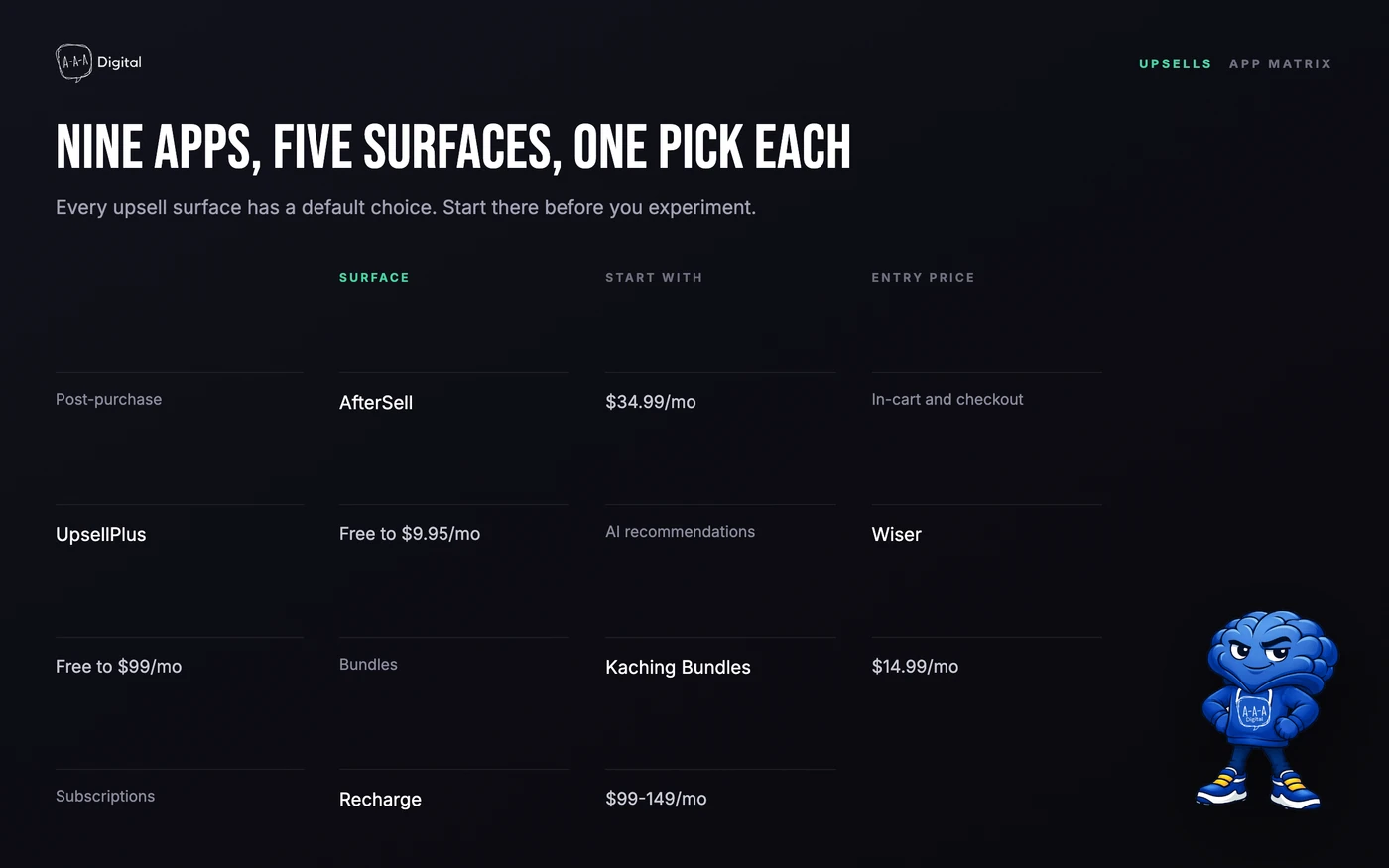
Here is the whole list on one screen, then a hands-on section for each.
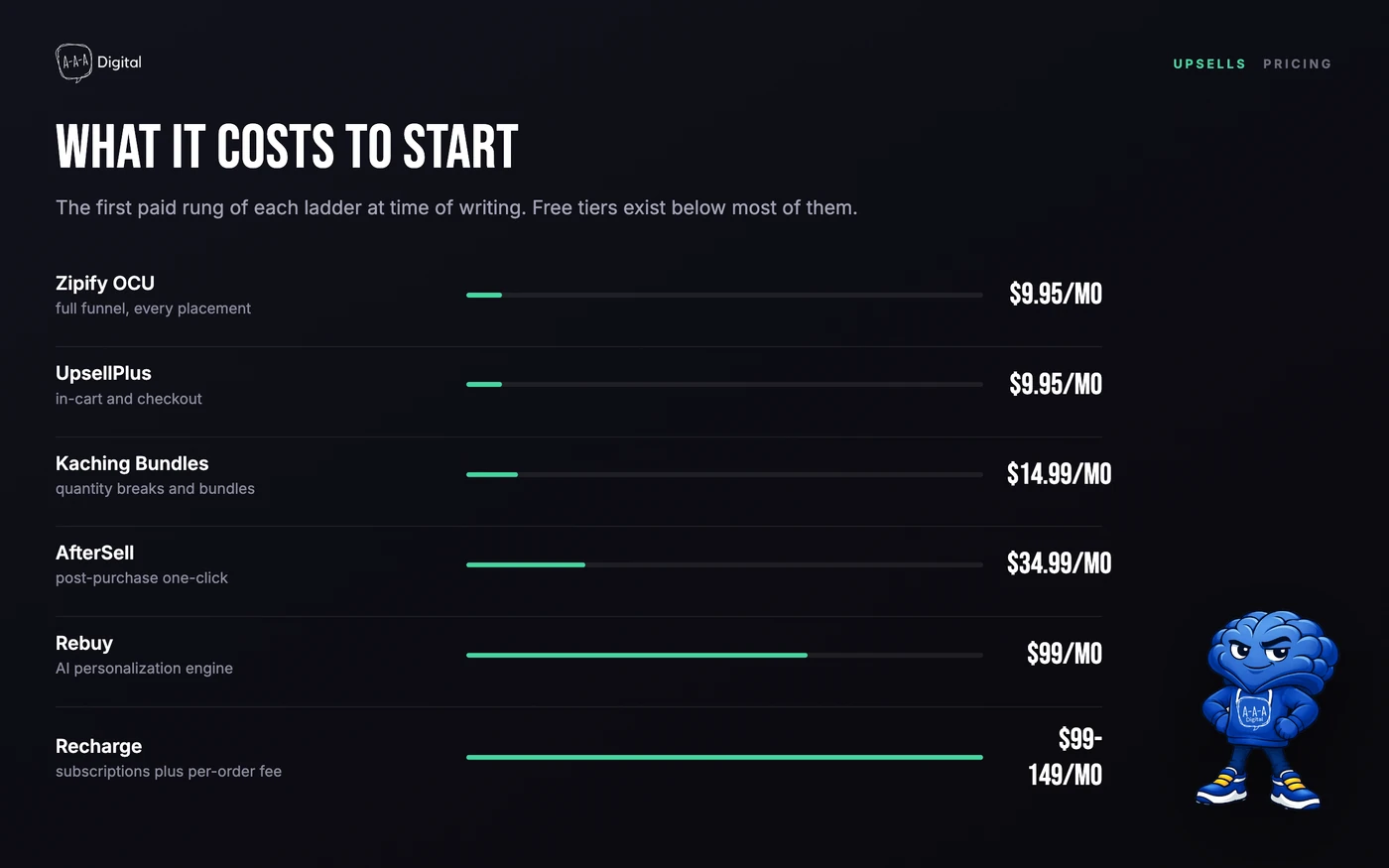
| App | Upsell surface | Entry price (at time of writing) | Best for |
|---|---|---|---|
| AfterSell | Post-purchase one-click, thank-you page | $34.99/mo | Most stores starting out |
| Zipify OCU | Full funnel, multi-step | From $9.95/mo | Funnels across the whole journey |
| UpsellPlus | In-cart, checkout (Plus) | Free, then $9.95/mo | Plus stores wanting checkout offers |
| Selleasy | In-cart popups, FBT, bundles | Free to 50 orders/mo | Testing upsells on a budget |
| Wiser | AI product recommendations | Free, then about $9/mo | Affordable personalization |
| Rebuy | AI across cart, checkout, post-purchase | $99/mo | High-volume stores, 1,000+ orders/mo |
| Kaching Bundles | Quantity breaks, bundles, BOGO | $14.99/mo | Consumables and multi-unit products |
| Recharge | Subscription offers and management | About $99-149/mo + ~1.5% per order | Building a subscription program |
| Stay.Ai | Subscription retention with upsells | About $299-499/mo + ~1% per order | Mature subscription brands fighting churn |
1. AfterSell: Best Shopify Post-Purchase Upsell App for Most Stores
AfterSell is the upsell app I have installed most: roughly thirty stores over the past three years. It owns the two placements I care about most, the one-click post-purchase page and the thank-you page, and its page editor is the friendliest in this list. Offers filter by order value, product, collection, or customer tag, so a skincare buyer never sees a haircare pitch.
Pricing at time of writing starts at $34.99/month for the post-purchase plan, which covers your first 500 monthly orders, then a per-order charge above that, capped just under $1,000.
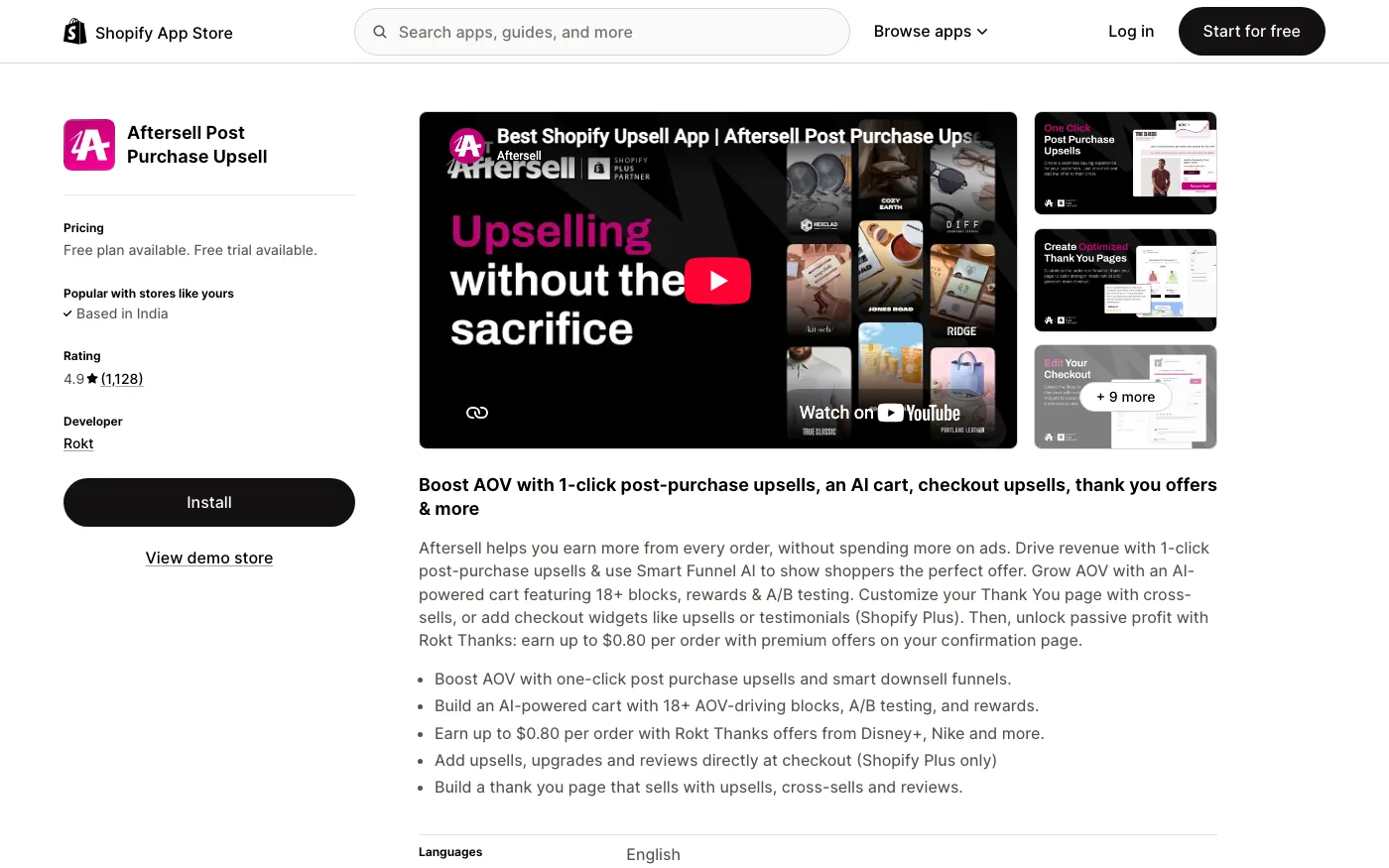
The weakness: it bills on your total store order volume, not on upsell revenue it actually generates. A store doing 3,000 orders a month pays whether or not the offers convert. That billing model is why high-volume stores eventually price themselves into OCU or Rebuy.
2. Zipify OCU: Best for Multi-Step Funnels Across the Whole Journey
OneClickUpsell is the oldest name in this niche and the one I reach for when a brand wants funnels at every step. I have run it on about a dozen stores. Where AfterSell concentrates on post-purchase, OCU builds chains: a product page widget, pre-purchase offers, cart drawer, in-checkout on Plus, post-purchase one-click, and thank-you and order status pages. An accepted offer can trigger a downsell and then another step, all from one builder.
Entry pricing at time of writing starts under $10/month with every placement included, plus a 30-day trial. The bill scales as the upsell revenue it generates grows, which is the fairest model in the category when the funnels work.
The weakness is that same scaling component. Stores love the entry price, then squint at the month-three invoice once the funnels take off. It also carries fewer App Store reviews than AfterSell, so judge it on your trial, not the listing.
3. UpsellPlus: Best for In-Cart and Checkout Offers on Shopify Plus
I have deployed UpsellPlus on five or six Plus stores. Its home turf is offers embedded directly inside checkout, which is a Plus-gated surface, alongside cart drawer, product page, and post-purchase placements. The rule engine is solid: spend thresholds, free gifts, shipping protection, and automatic discounts that behave predictably under load.
Pricing at time of writing includes a free tier with one offer up to $500 in upsell revenue, then plans from $9.95/month, climbing in revenue bands up to a $999 cap.
The weakness: the ladder is tied to upsell revenue, so your bill rises exactly when the app succeeds, and the best placements sit behind a Plus subscription. For non-Plus stores, Selleasy below covers most of the in-cart job for less money.
4. Selleasy: Best Free Starting Point for Testing Upsells
Selleasy is what I hand to stores that are not convinced upsells fit their catalog. It is free up to 50 orders a month, then $8.99 up to 500 orders and $16.99 above that, with every feature included at every tier. Coverage is broad: frequently bought together, product add-ons, bundles, cart popups, and post-purchase one-click, plus AI-generated recommendations if you would rather not hand-pick. It is Built for Shopify, which matters for checkout compatibility. I have installed it on maybe fifteen smaller stores.
The weakness: its default settings are popup-first, and popups on the cart are how my supplements client lost 9% of checkouts. Keep its popups off the cart itself and point them at the product page and post-purchase placements instead.
One thing about in-cart offers generally: they only work if the product page did its job first. Fix a leaking PDP before adding anything on top. Our product page conversion guide covers the fixes that matter.
5. Wiser: Best Affordable AI Product Recommendations
Wiser went onto eight stores last year, every one of them under 1,000 orders a month. It is the budget answer to Rebuy: AI-driven frequently bought together, related products, recently viewed, and post-purchase upsells, with handpicked rules when you want manual control over specific placements.
The free tier is genuinely usable, and paid plans at time of writing start around $9/month, scaling with the revenue its widgets generate. The App Store rating sits around 4.9 with several hundred reviews.
The weakness is physics, not software. Recommendation models need order data to learn from, and below a few hundred orders a month their picks are only as good as your curation. Plan to hand-pick the top 50 products for the first quarter either way. We mapped which placements earn their keep in our product recommendations breakdown.
6. Rebuy: Best AI Upsell Layer for High-Volume Stores
Rebuy is the enterprise option on this list. I have run it on three stores, all doing over 1,000 orders a month. Its Smart Cart is a full replacement for your theme's cart drawer, powered by AI recommendations across the product page, cart, checkout, and post-purchase, with Smart Flows and built-in A/B testing in one system.
Starter pricing at time of writing is $99/month, scaling through $249 and $499 bands by order volume, with a 21-day trial.
The weakness: below roughly 1,000 orders a month, the models have too little signal to beat a well-curated Wiser setup, and Smart Cart is a big commitment because you are replacing a core theme component. Install Rebuy when upsell revenue is already a budget line, not to find out whether upsells work.
7. Kaching Bundles: Best for Quantity Breaks and Bundles
Kaching is the bundle builder I reach for when a store sells consumables: supplements, coffee, pet food, anything people repurchase. I have set it up on nine or ten stores. It renders quantity breaks ("buy 3, save 15%"), mix-and-match bundles, BOGO deals, and free gifts as clean on-page widgets, and it applies them through ordinary Shopify discount logic, so your reporting stays sane.
It is free to install, with paid plans at time of writing from $14.99/month. The listing carries a 5.0 rating with several thousand reviews, one of the largest review counts in the entire upsell category.
The weakness: widget styling needs a careful eye on some themes, and volume discounts quietly rewrite your unit economics. Run the margin math per tier before you publish it, not after, because discounts and refunds compound on each other.
8. Recharge: Best Foundation for a Subscription Program
When a client says "we want subscriptions," Recharge is still the default answer, and I have launched it on about a dozen stores. At time of writing, entry plans run roughly $99 to $149/month plus about 1.5% and 20 cents per transaction, with a lighter tier for your first stretch of subscribers.
The upsell angle is real: subscribe-and-save as the default purchase option, one-time add-ons inside the customer portal, and dunning that recovers failed payments before they become churn.
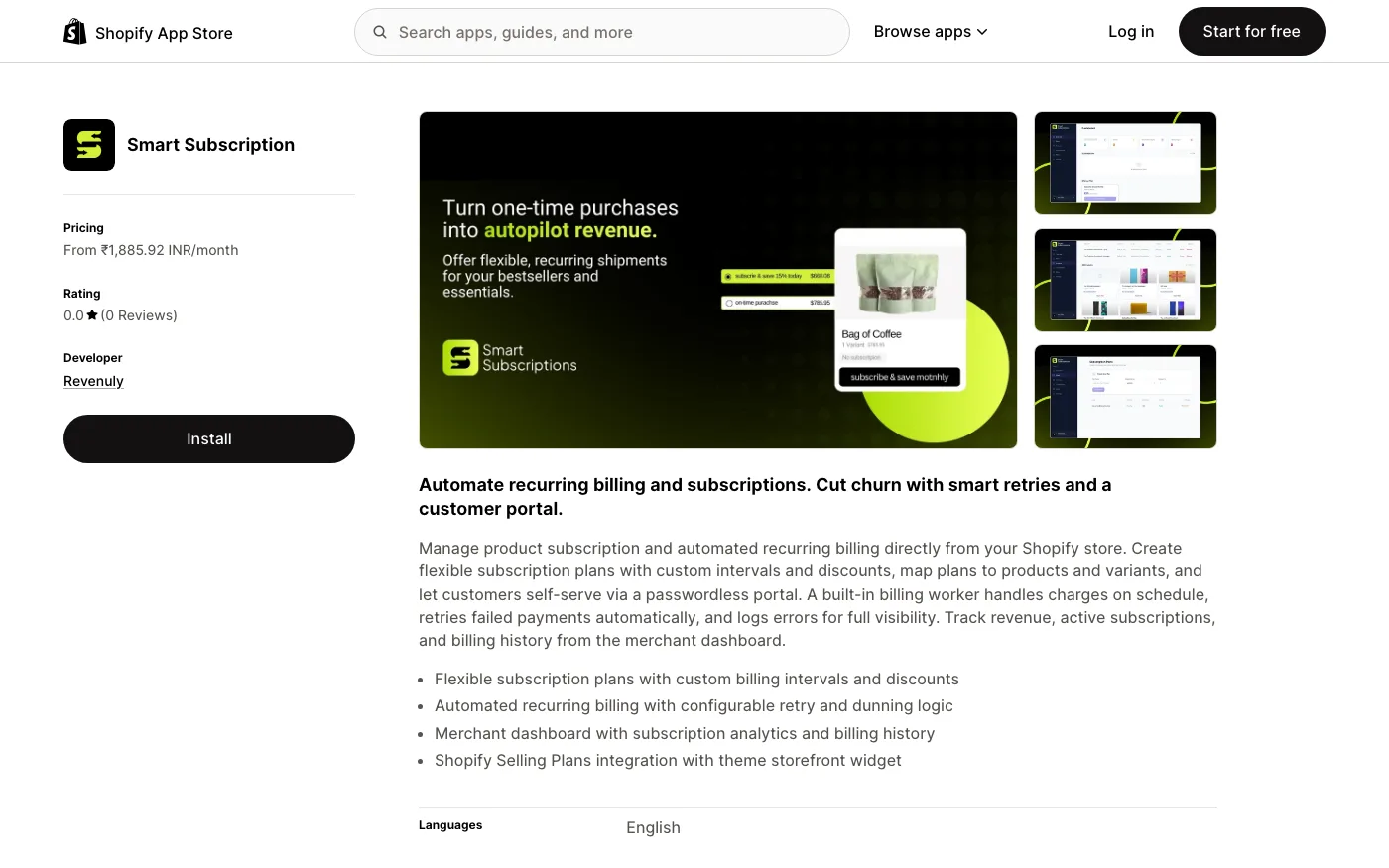
The weakness is that percentage fee on every subscription order, forever. At $60,000 a month in subscription revenue it is a serious line item, and brands that outgrow the platform usually migrate rather than upgrade. Know what the exit looks like before you build the program on it.
9. Stay.Ai: Best Subscription Retention With Built-In Upsells
Stay.Ai is the retention play, and I have migrated two brands onto it. Subscription management sits on top of AI churn prediction, personalized cancel flows, and offer testing aimed at saving the subscriber, with upsells woven through the customer portal. When someone clicks "cancel," the app is already deciding which incentive has the best odds of keeping them.
Pricing at time of writing runs a few hundred dollars a month, with listings showing roughly $299 to $499, plus about 1% and 19 cents per transaction.
Who it fits: brands already past roughly $50,000 a month in subscription revenue, where recovered churn covers the fee. The weakness is everything below that bar. Under scale you are buying analytics you will not act on, and if your churn problem is really a product problem, no cancel flow in the world saves it.
The Math Behind Every Shopify Upsell App
One comparison before the verdict, because pricing pages are written to distract you from it:
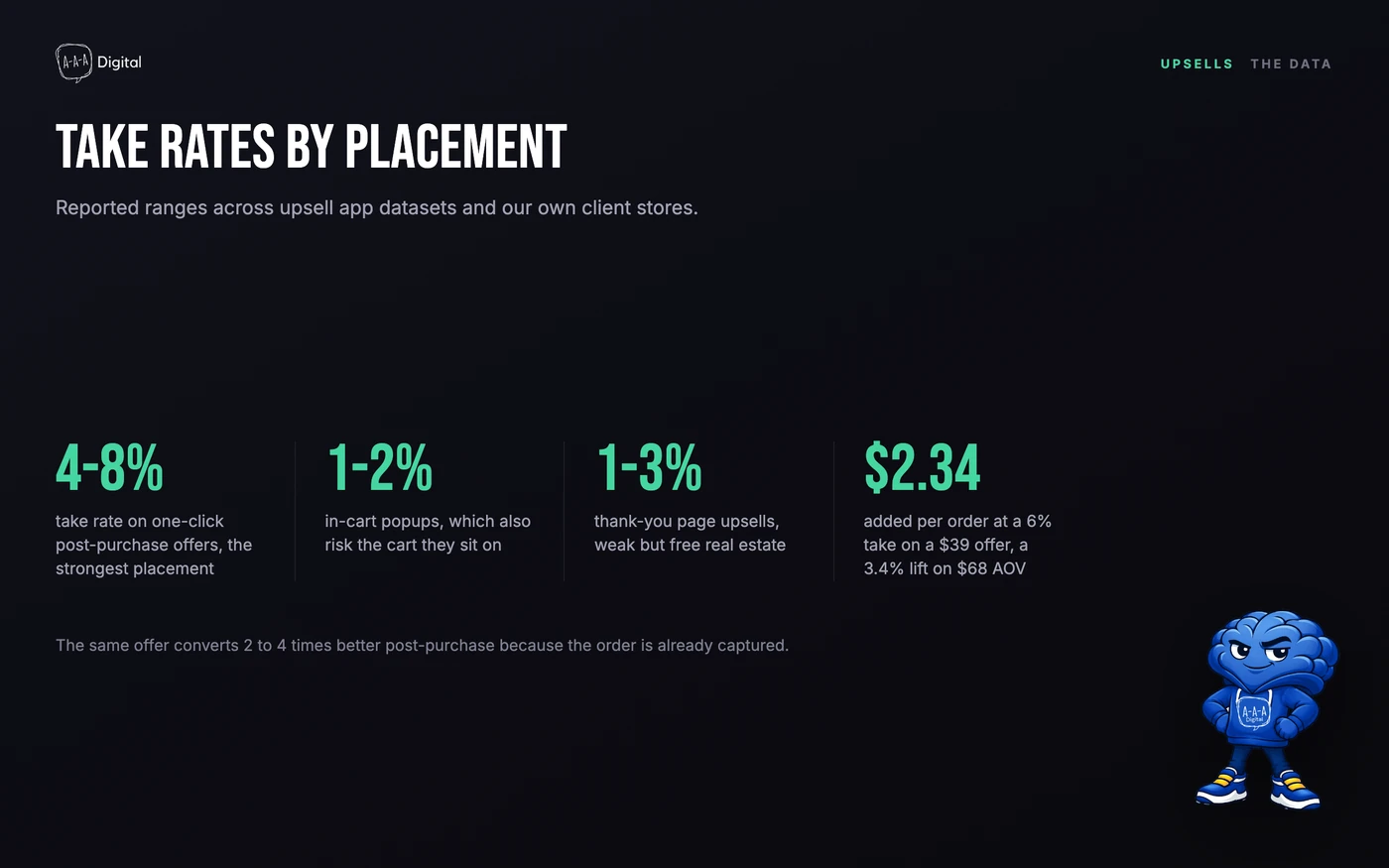
A 6% take rate on a $39 accepted offer adds $2.34 per order, which is a 3.4% AOV lift on a $68 basket from one screen. Across 1,000 monthly orders that is about $28,000 a year, which is why a $34.99 AfterSell bill is usually the cheapest revenue in the store. It is also why stacking five apps is nonsense: the placements cannibalize each other and the scripts compound.
Which Shopify Upsell App Should You Choose?
For most stores the answer is boring: start with one post-purchase offer through AfterSell, measure for a quarter, and only then consider a second placement. Add Selleasy if the budget is zero, Kaching if your products sell in multiples, Recharge or Stay.Ai if subscriptions are the business model, and Rebuy once volume justifies the fee.
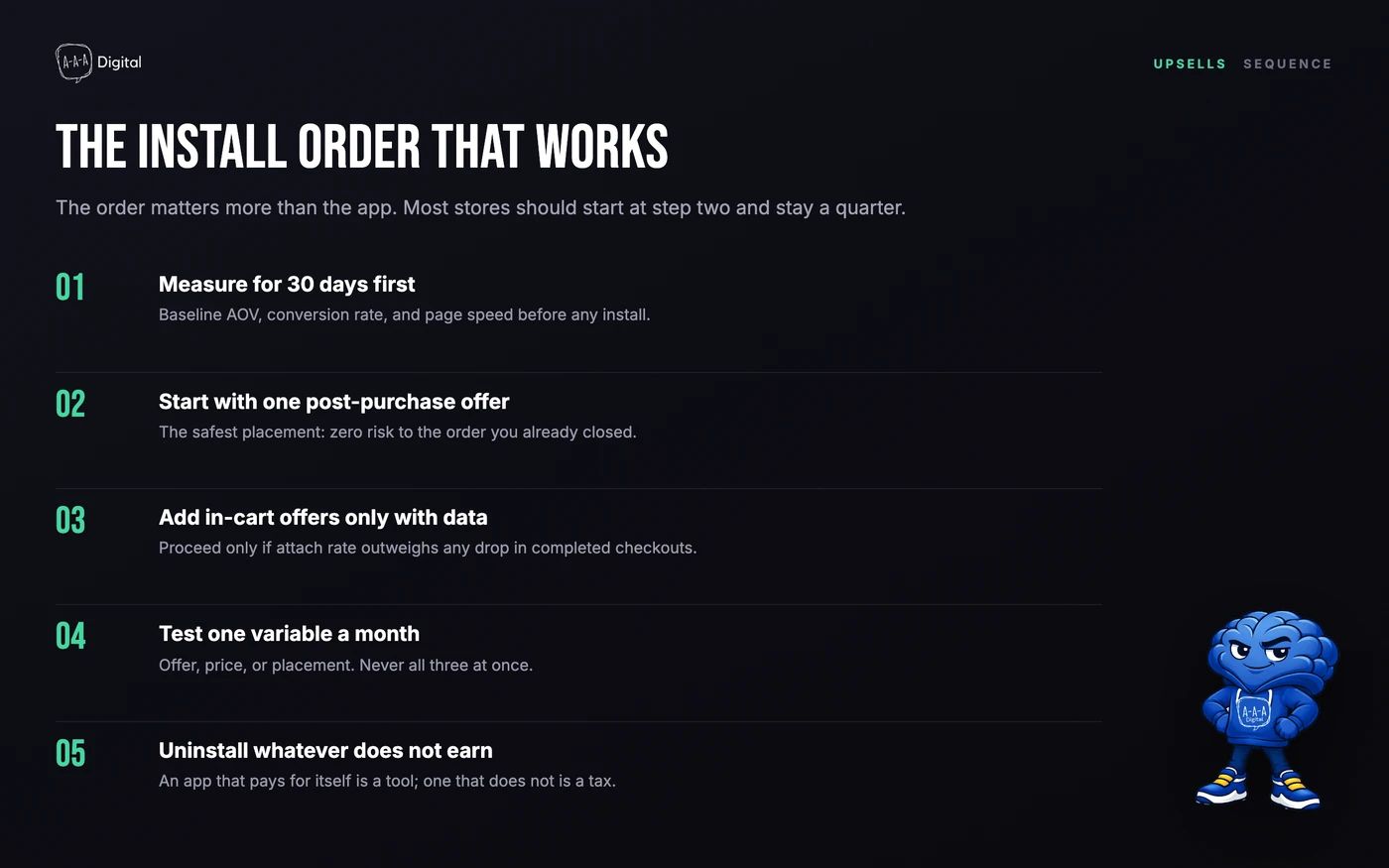
The pattern in the stores that get real results is restraint: one placement, one offer, one measured change a month. The stores that plateau are always running three apps, two popups, and zero tests.
FAQ
Which Shopify upsell app is best for a beginner?
AfterSell if you can spend $35/month, Selleasy's free tier if you cannot. Both let you start with post-purchase offers, the placement with the highest take rate and zero risk to completed orders.
Are Shopify upsell apps worth the monthly cost?
Do the math on your own numbers. A 6% take rate on a $39 offer at 1,000 orders a month is roughly $2,340 in added revenue against a $34.99 bill. Worth it when you measure; an unmeasured stack of four apps is just rent.
Can I run two upsell apps at the same time?
You can, but Shopify only allows one app to own the post-purchase page in checkout settings, and every extra app adds scripts to your storefront. Two competing apps is the single most common cause of "my upsell stopped showing" tickets I handle. Pick one owner per placement.
What is the difference between an upsell and a cross-sell?
An upsell pushes a higher-priced version or more units of what the customer already chose. A cross-sell adds a related item. Quantity breaks and post-purchase one-tap upgrades are upsells; bundles and frequently bought together are cross-sells. Nearly every app on this list does both, which is why placement matters more than category.
Where to Start This Week
If you take one thing from this list: pick the surface before you pick the app, and start post-purchase. The strategy, offer sequencing, and attribution rules for that placement are in the post-purchase upsell playbook, and it will save you from installing three apps you did not need. If you would rather have the installs, offer strategy, and testing handled for you, our Shopify CRO service is built around exactly this kind of measured AOV work.
