Shopify A/B testing has a dirty secret: most tests either run for two weeks, reach nothing close to significance, and get called anyway, or they quietly break your analytics so neither variant's data can be trusted. We've seen both on stores that came to us after a "failed" testing program.
The good news is the fix isn't expensive tooling. It's discipline. After running CRO tests across 200+ Shopify builds with an average +58% CRO lift on our client work, here's the exact process we use to test without corrupting the data you're trying to learn from.
Why Shopify AB Testing Breaks Analytics in the First Place
Two failure patterns cause most of the damage, and both are avoidable once you see them.
Pattern one: redirect-based testing splits traffic before tracking fires. Older tools (and some still-popular ones) split visitors by redirecting Variant B to a duplicate page URL like /products/shirt-b. Now your analytics sees two different URLs, your ad platforms attribute conversions differently per variant, and session stitching breaks. Shopify's own data gets fragmented too, which makes post-test rollups painful.
Pattern two: theme-duplication testing. A common DIY approach is to duplicate the live theme, make changes on the copy, and send 50% of traffic to it via a redirect app. Same redirect problem, plus a second one: theme duplicates drift. An app updates, a metafield changes, inventory syncs differently, and now you're not testing a headline; you're testing two slightly different stores. Any result you get is confounded and you won't know why.
The fix for both: use client-side or edge-side tools that swap content in place on a single URL, and only test one variable cluster at a time.
The Tooling We Actually Use
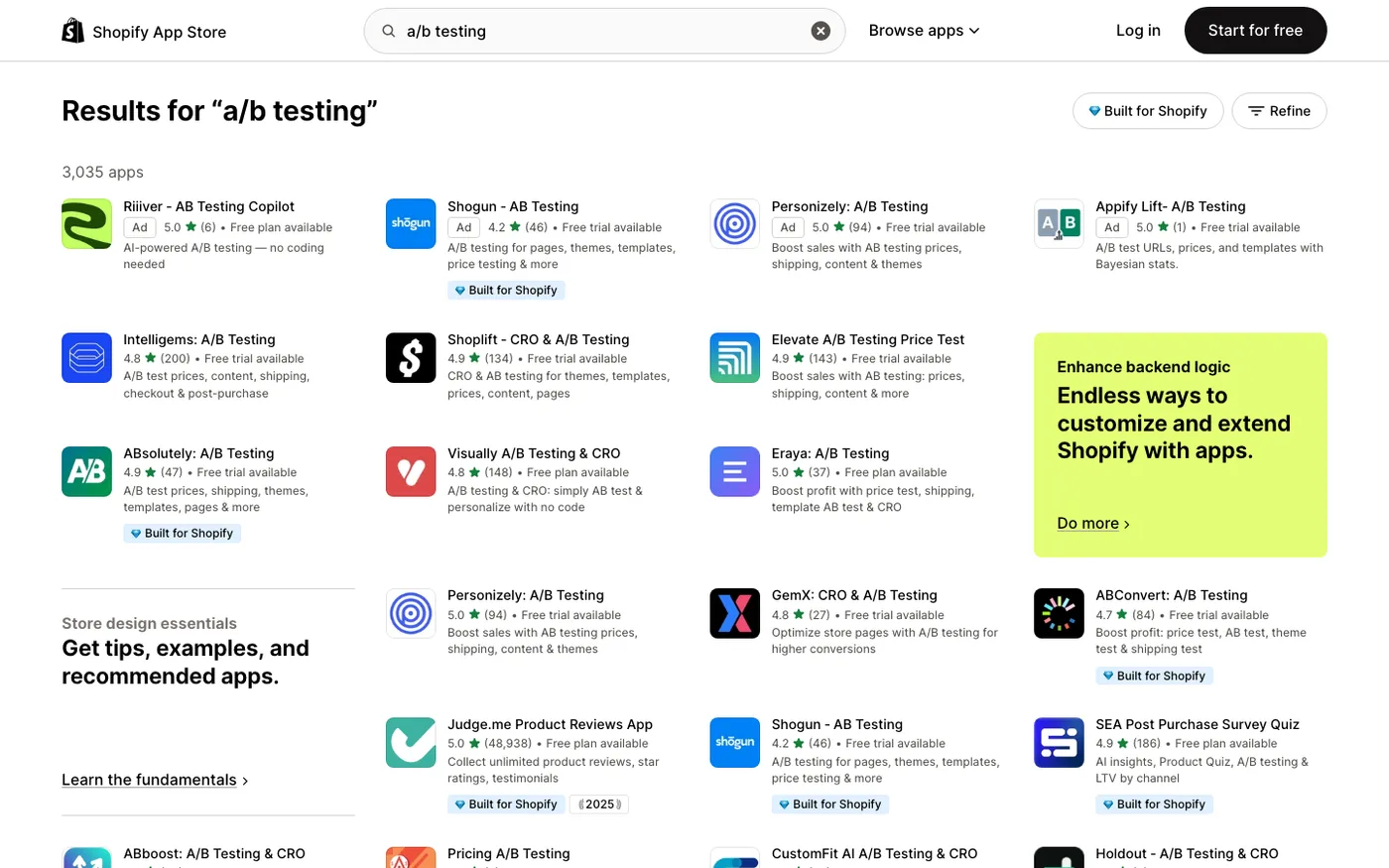
For most stores: Intelligems or VWO. Both swap content on-page without URL redirects, integrate with Shopify natively, and segment results by traffic source and device. Intelligems is our default for Shopify-first teams because it handles price and content tests cleanly and is priced sanely for mid-size merchants. VWO is the pick when you need deeper behavioral analysis alongside testing.
For Plus stores: Shopify's native A/B testing in the admin. Shopify added built-in theme testing for Plus merchants, and it's genuinely useful for template-level tests. It has the huge advantage of running inside Shopify's own data model, so nothing double-fires. The limitation is flexibility: it's theme A vs theme B, not element-level testing. Use it for layout and template tests, not headline tweaks.
For checkout tests: only Plus, only with intent. Standard plans can't split checkout without hacks, and the hacks break Shop Pay, which is where a huge share of your conversions happen. On Plus, use checkout extensibility tests and measure in Shopify Analytics plus your ad platforms. Be careful: checkout tests have lower traffic and higher variance, so they need longer runtimes. We rarely run checkout tests shorter than four weeks.
What we don't use: Google Optimize is long dead, and generic WordPress-style tools that rely on URL redirects have no place on a Shopify store in 2026.
The Setup Checklist Before Any Test Goes Live
This is the part that separates a trustworthy test from theater. Do all of it, every time.
- Audit your baseline events. Before the test starts, confirm your GA4 purchase events, Meta Pixel, and CAPI events all fire once per order. Use a test order and a Meta Events Manager trace. If your baseline is dirty, the test can't be clean.
- Pick one primary metric. Conversion rate, AOV, or revenue per session. One. Tests with three "primary" metrics end with the team picking whichever won. Decide the decision rule before launch: "Variant wins if revenue per session improves 5% at 95% confidence."
- Estimate your sample size first. With your baseline conversion rate and daily traffic, calculate how long the test needs. A store doing 300 orders a month cannot test a 3% lift. Run the math, not the vibes.
- Ensure exclusivity. A visitor in Variant A must never see Variant B on a return visit. Proper tools handle this with cookies, but verify it, especially on mobile Safari where cookie churn is highest.
- Check for interaction with other tests. Two overlapping tests that touch the same page contaminate each other. Maintain a simple test calendar, even a spreadsheet.
- Document the variant in a changelog. Screenshot both variants on launch day. Six weeks later, nobody will remember what the control actually looked like.
Measuring Results Without Lying to Yourself
The measurement layer is where most DIY programs quietly fail.
Use revenue per session as your north star. Conversion rate alone can be gamed by a variant that converts worse but with a coupon. AOV alone hides traffic-quality effects. Revenue per session combines both and matches what actually matters to the business.
Segment, but don't cherry-pick. Always look at mobile vs desktop separately; most Shopify tests show different winners per device. Looking at segments is fine. Declaring victory because variant B won on iPhone Safari traffic at 11pm is not fine. Pre-register the segments you'll read before the test ends.
Wait for full purchase cycles. If your average time-to-purchase is nine days, a 14-day test measures nothing. Run at least two full purchase cycles past your significance date.
Reconcile Shopify against GA4 after the test. If Shopify says variant A won and GA4 disagrees, figure out why before shipping. Usually it's a pixel event firing differently per variant, which is itself a bug worth fixing. If your revenue tracking needs an overhaul first, our breakdown of measuring SEO ROI with clean data covers the same reconciliation discipline.
What to Test First (and What to Skip)
The tests that pay back fastest on a typical Shopify store, in order:
Product page structure: image layout, description placement, reviews position. Product pages carry the most traffic and the most decision weight. Almost always our first test.
Cart drawer vs cart page. Bigger than it sounds. On mobile especially, these perform very differently and stores default to whichever the theme shipped with.
Shipping threshold messaging. "Free shipping over $50" placement and framing moves AOV more reliably than almost any design test we run.
Collection page sorting and filters. Usually under-tested. Letting users sort by bestseller frequently beats the default sort on fashion and beauty stores.
What to skip: button color tests (effect is tiny, traffic is rarely enough), popup timing tests (third-party popup tools add enough weight that results don't generalize), and tests on pages with under a few thousand monthly sessions. Test where the traffic is.
When DIY Testing Is Fine (and When It Isn't)
If you're under roughly $1M in annual revenue with limited traffic, the honest answer is that rigorous A/B testing may not be your highest-leverage move. Below a few thousand sessions per variant, tests take months to reach significance, and in that world, heuristic CRO (fixing obvious friction with user recordings and session replays from Microsoft Clarity) usually beats split testing. Clarity is free, and watching ten real sessions often tells you more than a six-week test on thin traffic.
Testing earns its keep when you have the traffic to support it and a backlog of evidence-backed hypotheses. That's the gap our Shopify CRO service fills: we build the analytics foundation, prioritize the test backlog, and run the program so results compound instead of resetting every quarter.
Frequently Asked Questions
Can you A/B test on Shopify without Plus?
Yes. Tools like Intelligems, VWO, and Convert run element-level tests on any plan by swapping content on the live URL. What you can't split-test on standard plans is the checkout flow itself, and that requires Plus. For most stores, product and collection page testing matters more anyway.
How long should a Shopify A/B test run?
At minimum, two full business cycles plus one full purchase cycle for your store. In practice that's usually 3–6 weeks for product page tests. Ending tests early because one variant "looks like a winner" at 80% confidence is the single most common way stores ship regressions.
Do A/B testing apps slow down my Shopify store?
Client-side tools add some JavaScript, typically 100–300ms on first paint if implemented well. Redirect-based tools are worse because they add a full HTTP round trip. Use on-page swap tools, and test your PageSpeed score with the testing snippet active before launch, not after.
Should I test conversion rate or revenue per session?
Revenue per session. Conversion rate ignores AOV effects, and a variant can raise conversion while cutting revenue by pulling in discount hunters. Revenue per session (or per visitor) is the metric that maps to actual business impact.
What sample size do I need to A/B test my Shopify store?
Roughly: with a 2% baseline conversion rate and a 20% relative lift, you need on the order of 20,000+ visitors per variant for a properly powered test. Below that, either extend the runtime, test bigger swings, or switch to heuristic CRO and session replay until your traffic grows.
Get Help With This
A testing program only compounds when the analytics underneath it are clean and the discipline holds week after week. Our global team runs CRO programs for Shopify and Shopify Plus stores, from first audit to a full testing roadmap. If you'd rather skip the trial-and-error phase, start with our Shopify CRO service.
