A home goods store came to us last quarter with a recommendation carousel on every product page, cycling through twelve products. On the cast iron skillet page it recommended three more skillets, a tea kettle from an unrelated collection, and eight bestsellers that had nothing to do with cooking. The app cost $99 a month. Its attributable revenue, once we traced the click data properly, was close to zero.
When I audit stores, the recommendation block is usually one of three things: an afterthought the theme shipped with, an app burning money, or a genuinely engineered revenue surface. The difference is almost never the algorithm. It is placement, curation, and whether anyone has checked what the widget actually links to.
Everything published on Shopify product recommendations splits into two camps: collaborative filtering theory, or ten apps with affiliate links. This post is the third thing: where recommendations earn their keep on a real store, what Shopify's own engine does for free, when hand-written rules beat machine learning, and how to add widgets without punching holes in your SEO.
Where Shopify product recommendations actually earn their keep
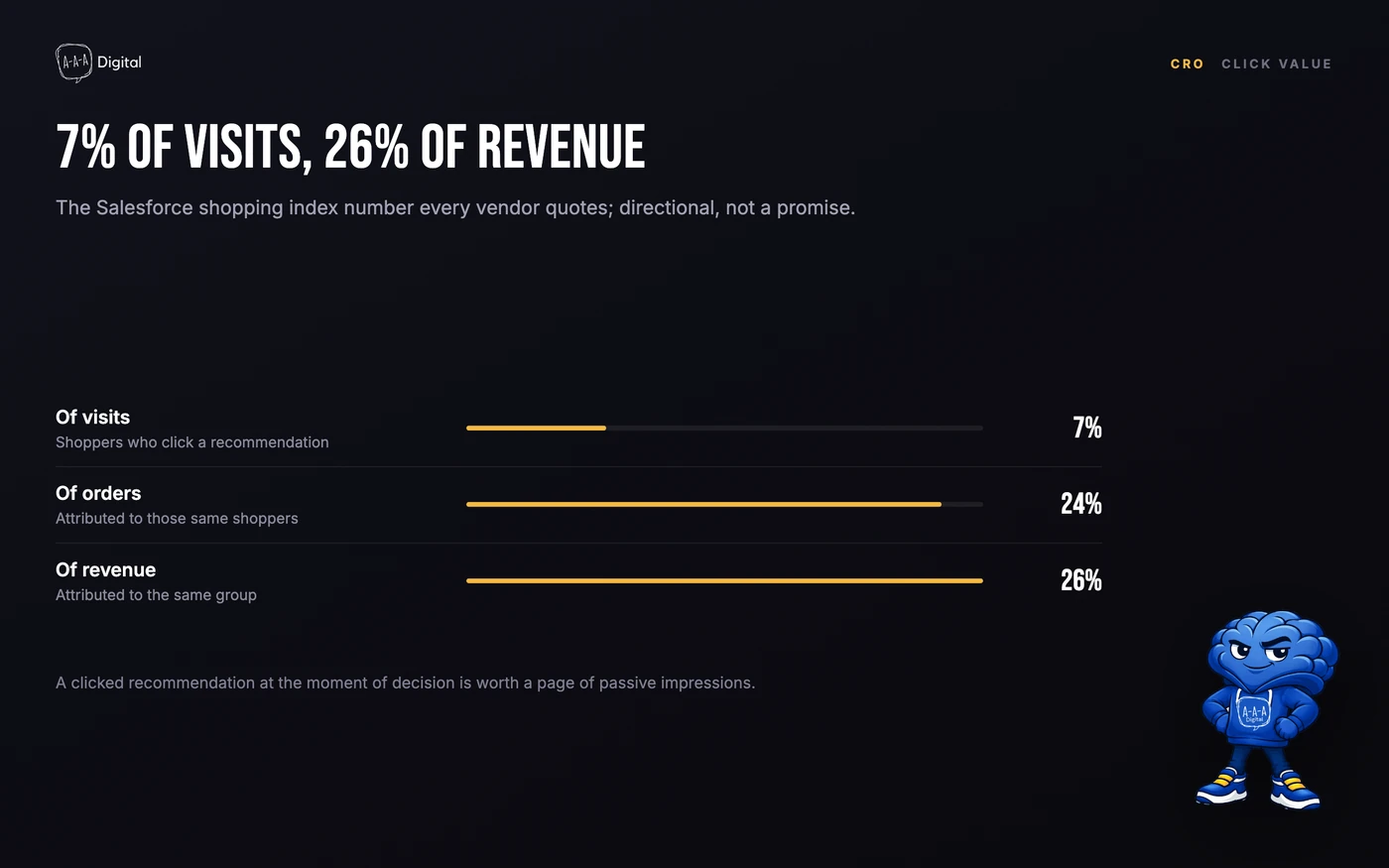
Most recommendation content skips placement entirely and quotes one headline number: shoppers who click a recommendation are worth far more than average visitors. The figure comes from Salesforce's shopping index, and every vendor deck quotes it: clickers are roughly 7% of visits but around 26% of revenue. Treat it as directional, not a promise. You cannot harvest it by sprinkling carousels everywhere. The gains come from putting the right suggestion at the moment of decision, and on most stores we work on, only four placements pass that test.
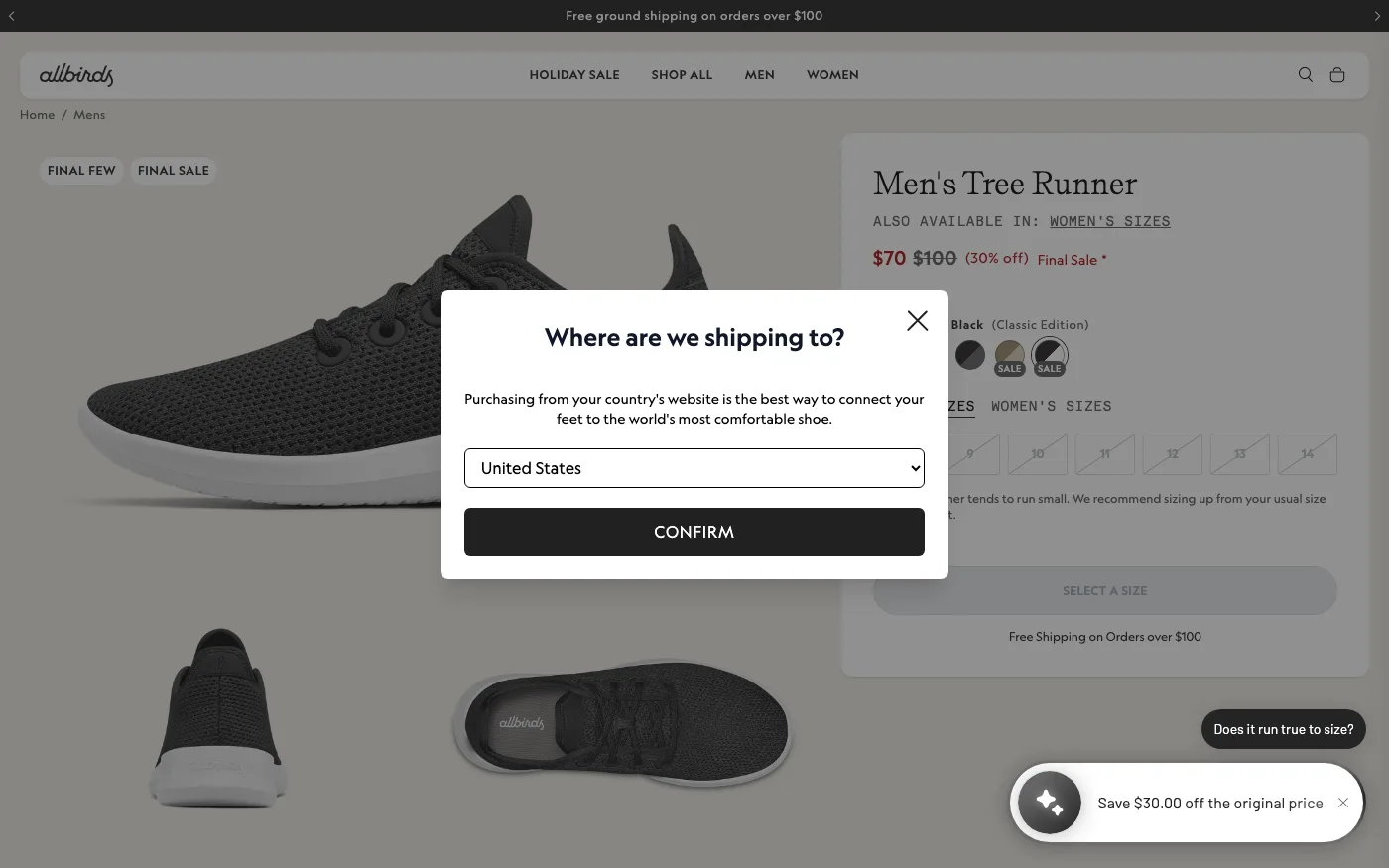
| Placement | What it sells | Best source | Setup effort |
|---|---|---|---|
| Product page "complete the look" | The second item in the basket | Manual, or complementary intent | An afternoon in Search & Discovery |
| Cart drawer add-ons | One more item at peak intent | App, or a complementary block | Theme edit or app install |
| 404 page recovery | A route out of a dead end | Bestsellers, or related intent | Template edit |
| Collection sorting | The right product sooner | Personalization app | App config, plus URL rules |
Product page: "complete the look," not "more like this." A customer on a product page has mostly decided. They do not want twelve substitutes; they want the missing piece. On a fashion store that is the belt with the trousers. On a skincare store it is the SPF that pairs with the retinol serum. This is where our product page conversion work usually starts, and the wording around the block matters as much as the picks. "Pairs with" outperforms "You may also like" because it reads like a shop assistant, not a slot machine. The product page copywriting rule applies to the module too: name the use case, not the mechanism.
Cart drawer: the highest-intent placement on the store. The customer has a card out. One cheap, obvious add-on belongs here: batteries with the device, filters with the air purifier, the spare blade with the razor. Keep it to a single suggestion or a tight trio. A carousel inside the drawer is a panic attack at the worst possible moment.
404 page: the dead end that still gets traffic. Old campaign URLs, mistyped links, stale pins. A "Popular right now" row on the 404 template turns a share of that waste into sessions that continue. The native route is a bestsellers collection or the recommendations API with a manual fallback.
Collection sorting: powerful, and the easiest to get wrong. Personalized sort order can genuinely lift large catalogs, but only if it never rewrites the collection URL. The moment sorting lives in parameters, you have created an indexing problem that costs more than the sorting earns.
What Shopify's native recommendation engine does (and when it's enough)
Shopify has shipped recommendation machinery in core for years, and most merchants have never touched it. There are two pieces.
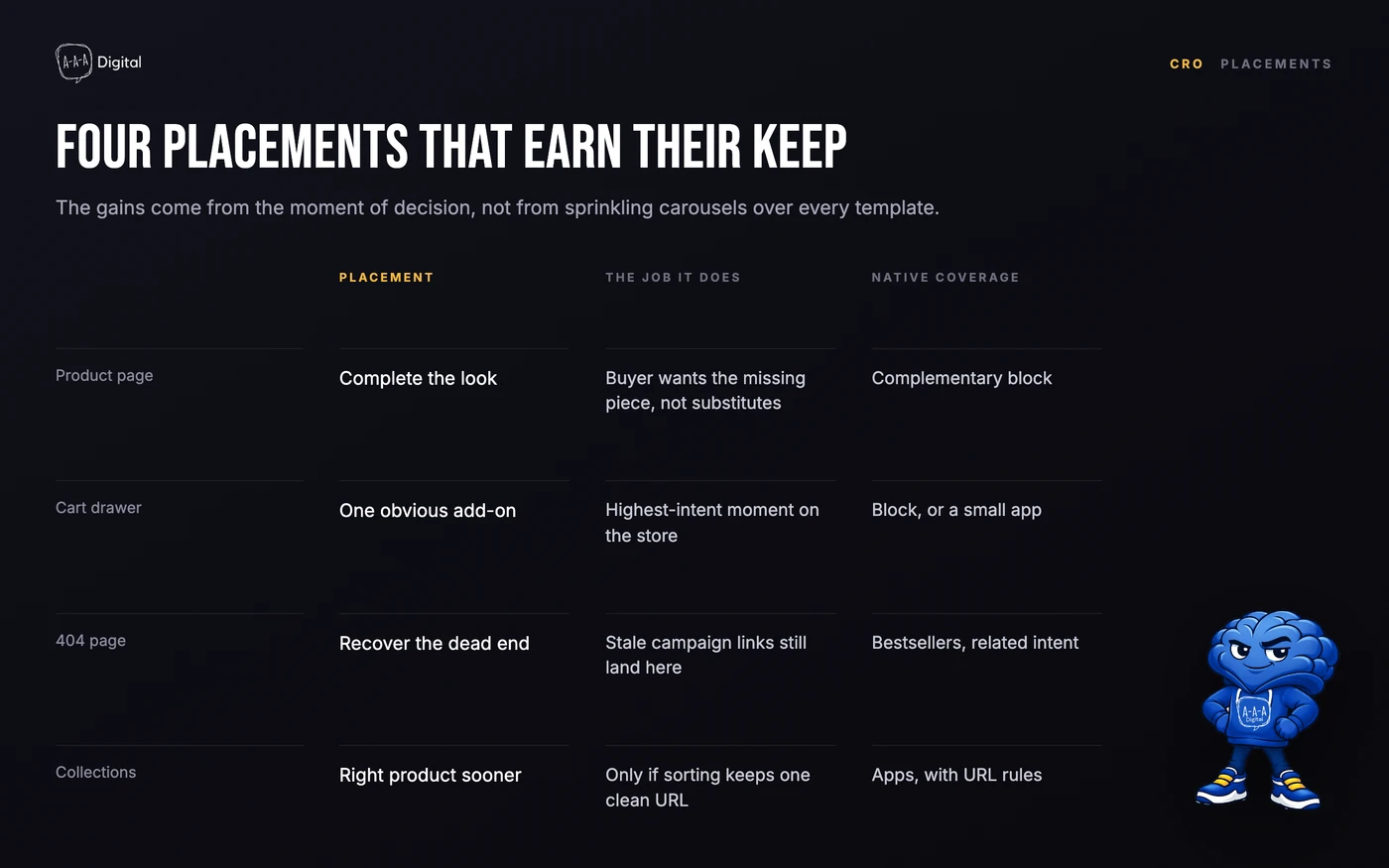
The recommendations API, with two intents. The product recommendations endpoint, available as the AJAX route /recommendations/products.json and as the productRecommendations query in the Storefront API, accepts an intent of related or complementary and returns up to ten products. related is the default: an automatic, algorithmic pick that Shopify generates from product data and purchase patterns. complementary is the quiet one most people miss. It serves products you have hand-picked per product, and it is the backbone of the "complete the look" placement above.
Search & Discovery, the free app that feeds it. Shopify's own Search & Discovery app lets you set up to ten complementary products and ten custom related products per product. Most Online Store 2.0 themes already ship blocks that render both. Open the theme editor, go to the product template, and look for "Complementary products" and "Related products" blocks. That is a working recommendation system for zero dollars a month, before any app enters the picture.
The catches, straight from the audits: complementary picks silently fail when the recommended product is out of stock or unpublished, and the block just renders fewer items. There is no native one-click "add the whole set" button or bundle pricing. And the free blocks are per-product manual work, so ten slots times four thousand SKUs is a logistics problem. That problem is the real reason apps exist. For a store with a focused catalog or a few hero products, though, native plus one afternoon of curation covers most of the value. When we rebuild product templates as part of our Shopify CRO service, this native setup is the baseline we configure before spending a client's money on an engine.
So when is native enough? Vendor playbooks draw the line at roughly 50 orders a month; we say it more bluntly. If you cannot name your top 50 products from memory, the algorithm has nothing meaningful to learn from yet, and your own picks are better than its guesses.
Two implementation details are worth knowing before you build on native. First, in modern themes like Dawn the related-products section loads asynchronously after the page renders, so it does not block your first paint. That is exactly the rendering behavior you want, and it is the behavior app widgets most often get wrong. Second, complementary picks are stored as product data, which means they can be edited in bulk through the admin or a CSV export. That turns "ten slots times four thousand SKUs" from an impossible admin marathon into a spreadsheet job, and it is how we stage curation for larger catalogs.
Manual merchandising rules that beat the algorithm
Here is the contradiction at the center of this topic: the more niche your store, the worse machine recommendations get, and the better a human gets relative to them.
The pattern I see on niche stores is a sparse purchase graph. A specialist climbing hardware store might do 200 orders a month across 900 SKUs. No collaborative filter learns meaningful "customers also bought" pairs from that. But the founder knows that everyone buying the cam also needs the sling. The algorithm ranks by similarity of titles and vendors; the merchant ranks by what actually gets used together. When the catalog is niche, we write rules with the client instead of installing an engine:
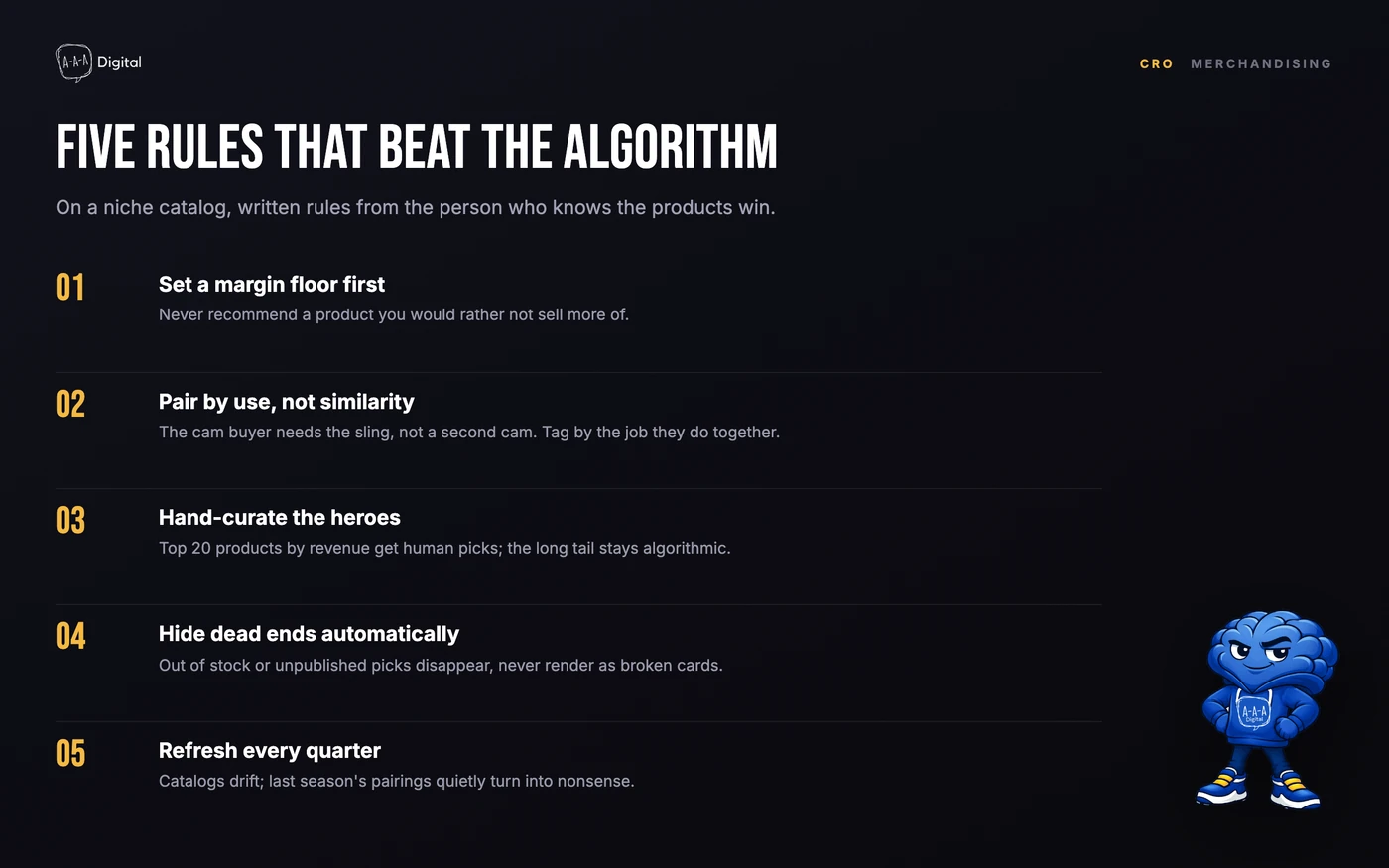
- Set a margin floor first. Never recommend a product you would rather not sell more of. A block that keeps surfacing clearance items trains customers to wait for markdowns and drags average order value down while it does.
- Pair by use, not similarity. The cam buyer needs the sling, not a second cam. Tag products by the job they do together, then let complementary slots read from those tags.
- Hand-curate the heroes. Your top 20 products by revenue get human picks, full stop. The long tail can stay algorithmic; the pages that pay for the store should never show an off-brand kettle next to a skillet.
- Hide dead ends automatically. Anything out of stock, unpublished, or excluded from the current market should disappear from recommendation slots, not render as a broken or unbuyable card.
- Refresh quarterly. Catalogs drift. Last season's pairings quietly turn into nonsense, and nobody notices because the block still looks busy.
A quick example from a client audit. A specialty tea merchant had an AI app ranking "similar" teas by vendor and flavor tags, so every product page ended in a wall of near-identical green teas. We replaced the block with two hand-picked pairings per hero product: the teapot that suits the leaf, and a second tea for gift buyers. Same traffic, same theme, one afternoon in a shared spreadsheet with their merchandiser. Add-on revenue from those pages roughly doubled in the first month. No model would have found those pairings, because the order graph was too thin to learn from. The spreadsheet cost an hour.
How do you make pairing scale without an app? Boringly. We agree on a short pairing taxonomy with the merchandiser (the teapot that suits the leaf, the refill for the consumable, the spare part for the device) and keep one row per hero product in a sheet keyed by SKU, reviewed at the same quarterly session as everything else. Ownership matters more than the tool: the sheet belongs to the merchandiser, not to us or to an app. Agencies move on, apps get uninstalled, and the person who knows why two products belong together should hold that knowledge somewhere they control.
How recommendation widgets interact with SEO
In audits, the most common SEO problem with recommendation widgets is not the widget. It is everything the widget dragged in with it. Four costs to control.
Script weight and rendering order. Most recommendation apps render client-side: the page loads, the app fetches, the browser injects cards, the layout shifts, and the main thread gets busy. On a mid-range phone over throttled 4G, that can add seconds of jank to a product page already carrying a reviews app and two ad pixels. The fix is boring. Render recommendations from the theme using Shopify's own endpoints, lazy-load anything below the fold, and never ship the app's script on templates that show nothing.
Crawl traps in disguise. A well-behaved recommendation block links to clean /products/ URLs and is a genuine internal-linking asset: it surfaces items that sit three clicks deep and would otherwise go unlinked. A badly behaved one appends parameters, rewrites every link with collection context, or paginates its carousel into near-identical URLs at scale. Shopify already fights collection-aware duplicate URLs; a sloppy widget multiplies them. Check in View Source, not the inspector: if the raw HTML hrefs are clean product URLs, you are fine. If your collection pages have sorting or filtering in the URL string, the rules in our Shopify collection page SEO guide apply to whatever the widget adds.
Boilerplate duplication. A sitewide "trending now" module puts an identical block of anchors and text on every product page. Google handles shared modules fine, but if your product pages are mostly template, that shared block does nothing for differentiation, and linking the same ten bestsellers from every page concentrates internal authority on products that already rank. Rotate the module or make it contextual.
Structured data noise. Some apps inject a full Product JSON-LD block for every recommended card, leaving one page carrying six Product schemas, and some add schema.org relationship properties such as isRelatedTo or isSimilarTo. Google's product rich results ignore relationship properties, so that markup is not how related products earn search visibility. The link does that. If your app doubles up schemas, consolidate them, which is the same rule we cover in our Shopify structured data guide.
How personalization changes the math
Everything native is contextual: it reacts to the product being viewed, not the person viewing it. App engines add a behavioral layer on top: click history, session behavior, purchase cycles, audience segments. That genuinely helps at volume, because "people who bought X bought Y" beats "product Y shares tags with X" once the order graph is dense. It also helps returning visitors more than new ones. A first-time visitor has no history, so the engine falls back to crowd data, which is exactly what a niche store's sparse graph produces badly.
Personalization adds weight and a consent surface too. Behavioral tracking in the EU and UK needs a consent framework, and every customer profile an app builds is a data question you now own. Our working rule: below roughly 50 orders a month, or a catalog under about 500 SKUs, native plus manual curation wins on ROI. Past that, test an engine such as Rebuy or LimeSpot on one placement and measure attach rate, not clicks. And keep the funnel order straight: recommendations sell the second item before purchase. The larger second-order play sits after the purchase, where intent is proven and the margin math changes.
FAQ
Does Shopify have built-in product recommendations?
Yes. Shopify's recommendations API generates automatic related picks for any product, and the free Search & Discovery app adds hand-picked complementary products, up to ten per product. Most Online Store 2.0 themes ship blocks that render both, so a working setup requires no paid app.
How many recommendation slots does Shopify give you per product?
Ten complementary and ten custom related products per product, set inside Search & Discovery. If a slot is empty, the API falls back to automatic related picks. That is plenty for a focused catalog and nowhere near enough for thousands of SKUs, which is where merchandising apps earn their fee.
Do product recommendation widgets hurt SEO?
They can, but the risks are specific: app scripts that slow the page, links to parameterized or collection-context URLs that multiply crawl waste, duplicated Product schema, and sitewide identical modules that add no unique content. Widgets that render clean links in the raw HTML are an internal-linking asset, not a liability.
Are AI recommendation apps worth it on a small Shopify store?
Usually not yet. Below roughly 50 orders a month there is too little behavior for the model to learn from, and manual curation of your hero products will outperform it. Buy an engine when the catalog and order volume outgrow your ability to curate by hand, and A/B test it against your manual baseline on one placement first.
Get the recommendations working
Recommendations are one of the few CRO changes that pay back in weeks instead of quarters, but only when the placement, the picks, and the page underneath all agree. At AAA Digital, our Shopify CRO team audits which of the four placements your store can actually support, wires up the native engine or the right app, and keeps the links clean while we do it. If your recommendation block is an afterthought right now, that is the cheapest revenue in your store.
