A Shopify session is one visit to your store, counted by a first-party cookie called _shopify_s. It is not one person, not one pageview, and not the same unit Google Analytics reports under the same name.
That causes most arguments about traffic. A merchant sees 4,000 sessions in Shopify and 3,100 in GA4, assumes one is broken, and stops trusting both. Usually both are correct: different cookies, different bot lists, different checkout coverage, different counting methods.
How Shopify defines a session
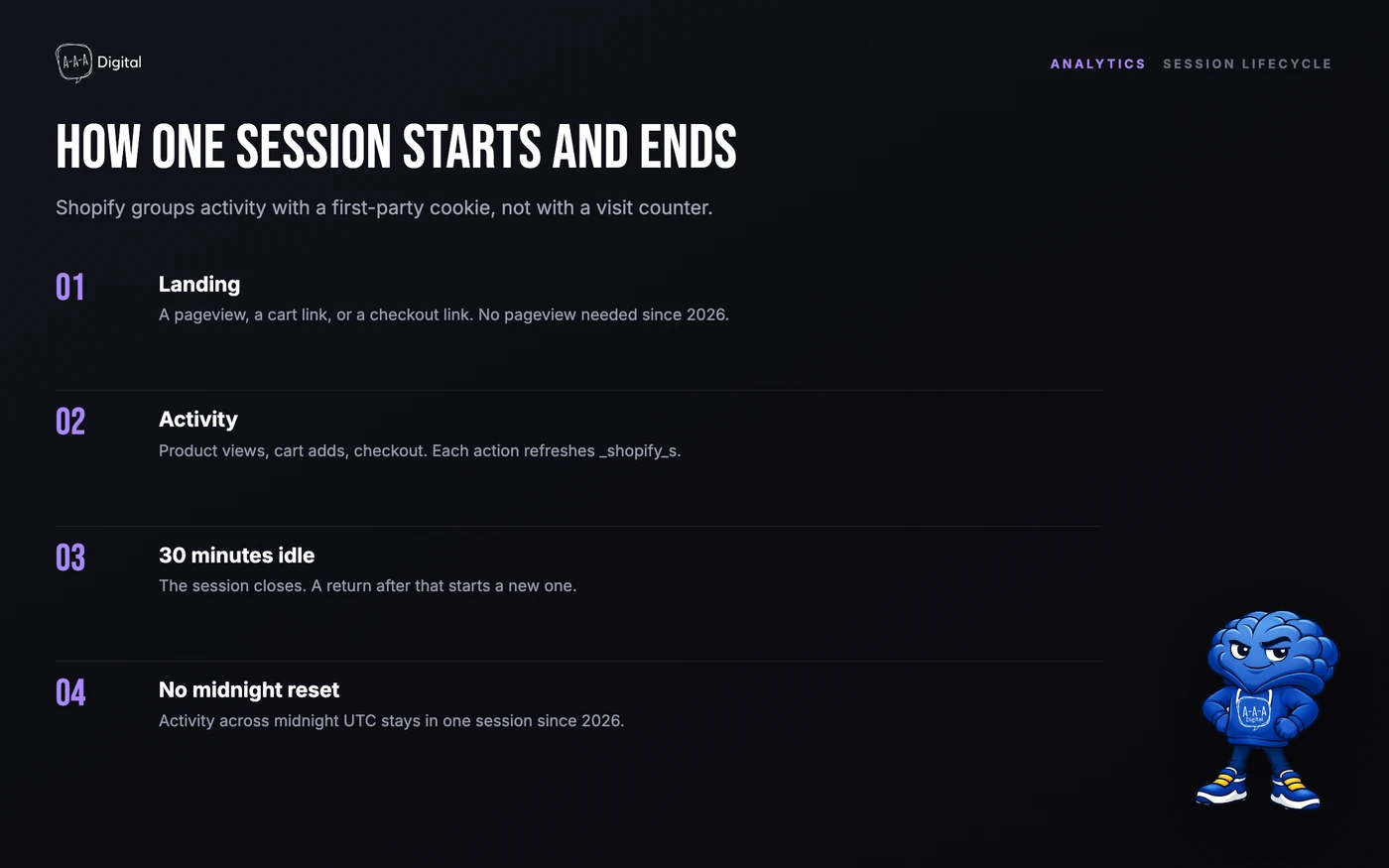
Shopify groups activity with the _shopify_s cookie, which holds a unique value per browser and shop and has a 30-minute rolling expiry. Every action refreshes it. The companion _shopify_y cookie lasts a year.
A session begins on the first storefront hit with no active session. That includes a pageview, a cart permalink, and a checkout link. Since September 2026, a session does not need a pageview to count.
It ends after 30 minutes of inactivity. There is no maximum length, so a visitor who keeps clicking can hold one session open for hours. Every action resets the clock. Leaving the tab open over lunch and returning usually starts a new session.
The other metrics:
- Online store visitors count unique browsers. One visitor can produce many sessions.
- Pageviews count page loads inside a session.
- Conversion rate is orders divided by sessions, which is why anything that changes the session count also changes conversion rate.
What changed in September 2026
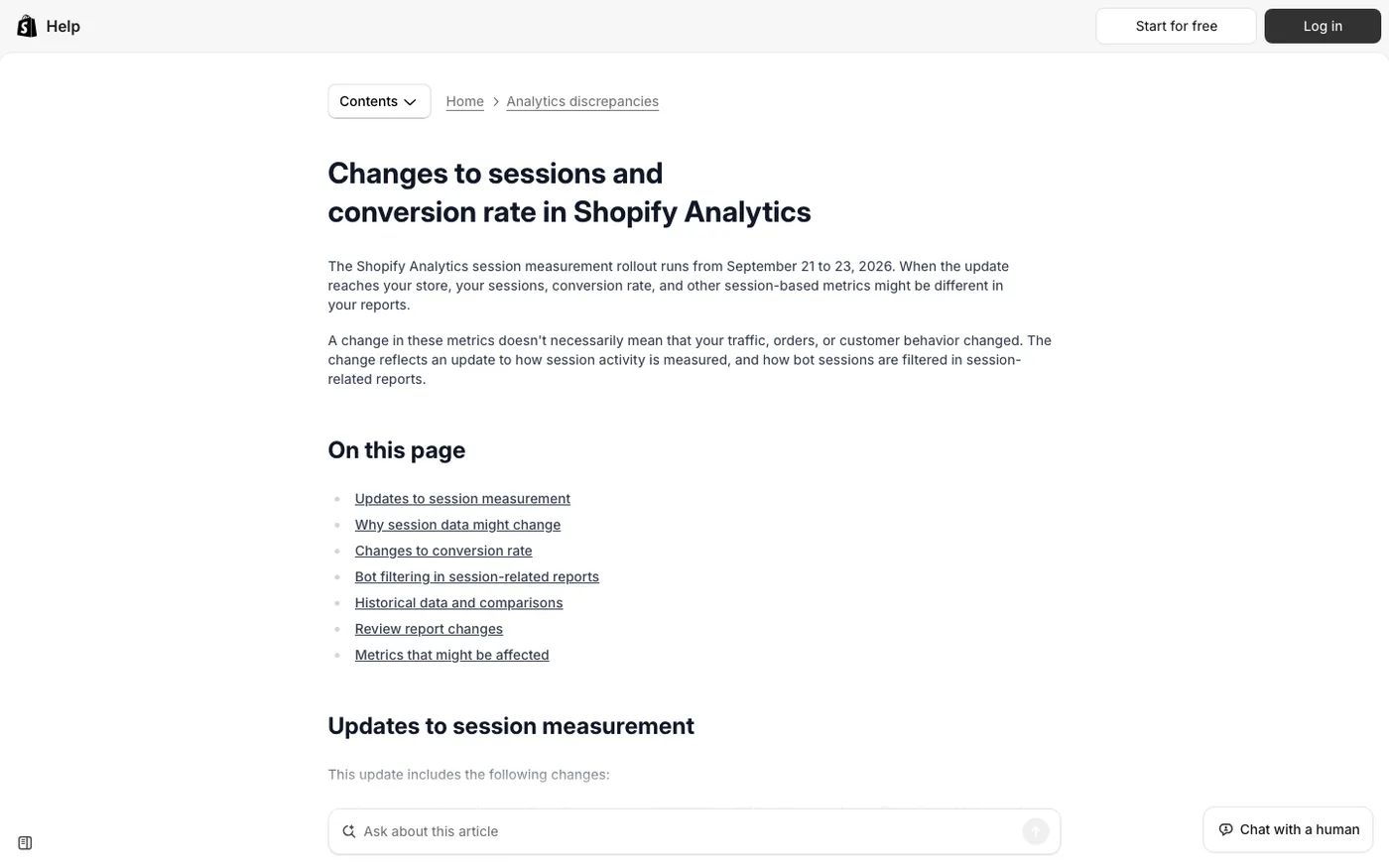
Shopify rolled out a new session model between September 21 and 23, 2026. Three changes matter.
No more midnight split. Sessions used to end at midnight UTC, so activity across midnight became two. Now it stays one session while the visitor keeps acting.
Sessions without a pageview count. A customer who goes from a cart link straight to checkout is one session, even with no pageview. That can raise the session count.
Bots are filtered by default. Identified bot sessions are removed from session-related reports. Some reports expose a Human or bot filter, so you can compare. On the Home page and Live View, the filter is applied and cannot be changed.
If bots were a large share of sessions, filtering lowers the count and raises conversion rate. If checkout links drive orders, counting pageview-less sessions raises the count and lowers conversion rate. If traffic runs late, merging across midnight lowers it slightly. Orders, sales, and customer counts do not move.
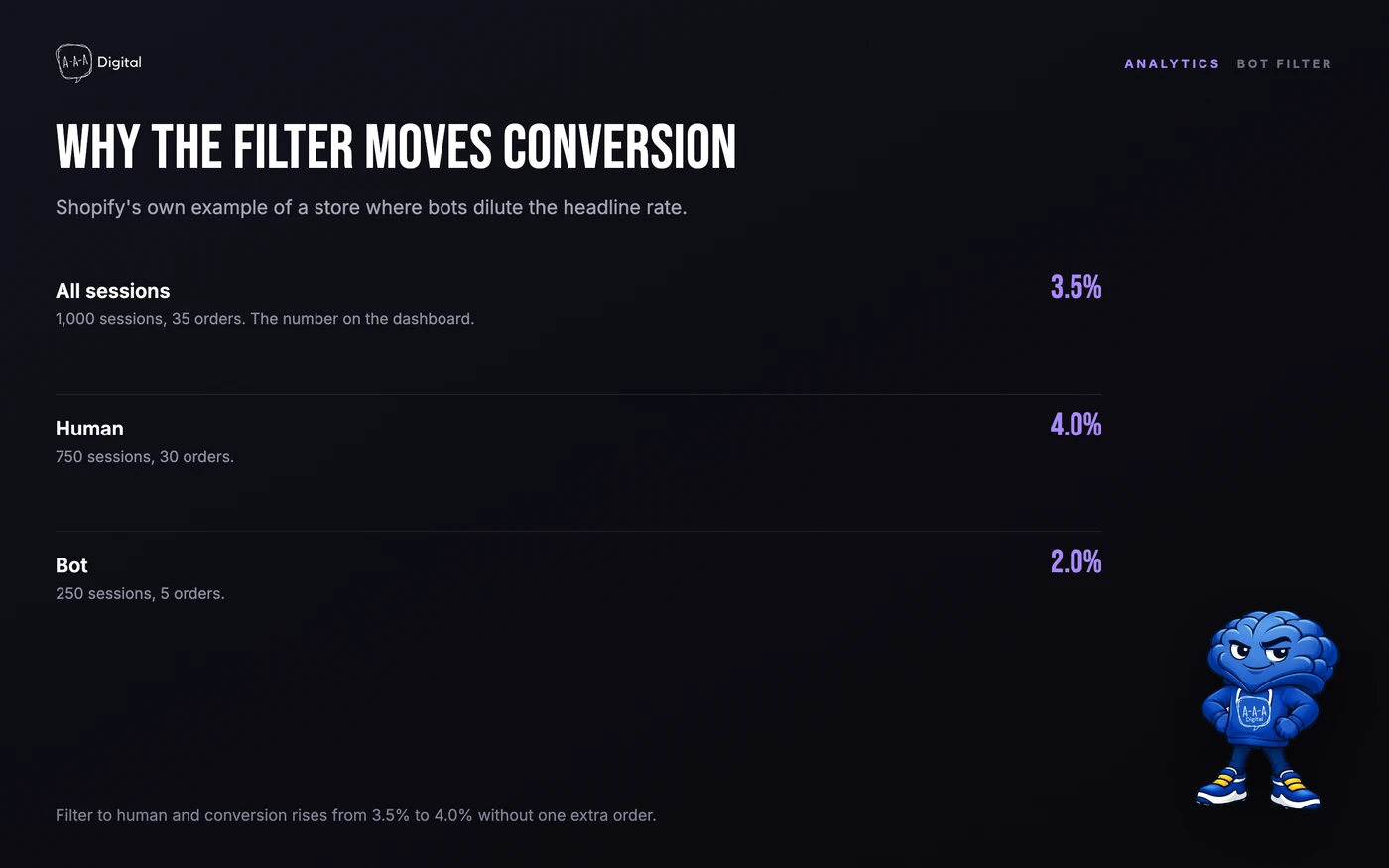
Shopify's example: 1,000 sessions, 35 orders, 3.5%. Split by type, 750 human sessions produced 30 orders (4.0%), 250 bot sessions 5 (2.0%).
Shopify did not reprocess historical data. Bot classification applies only from October 7, 2025, so comparisons across September 2026 use two rulers. Treat the update as a new baseline.
Shopify sessions vs GA4 sessions
The table below is the short version.
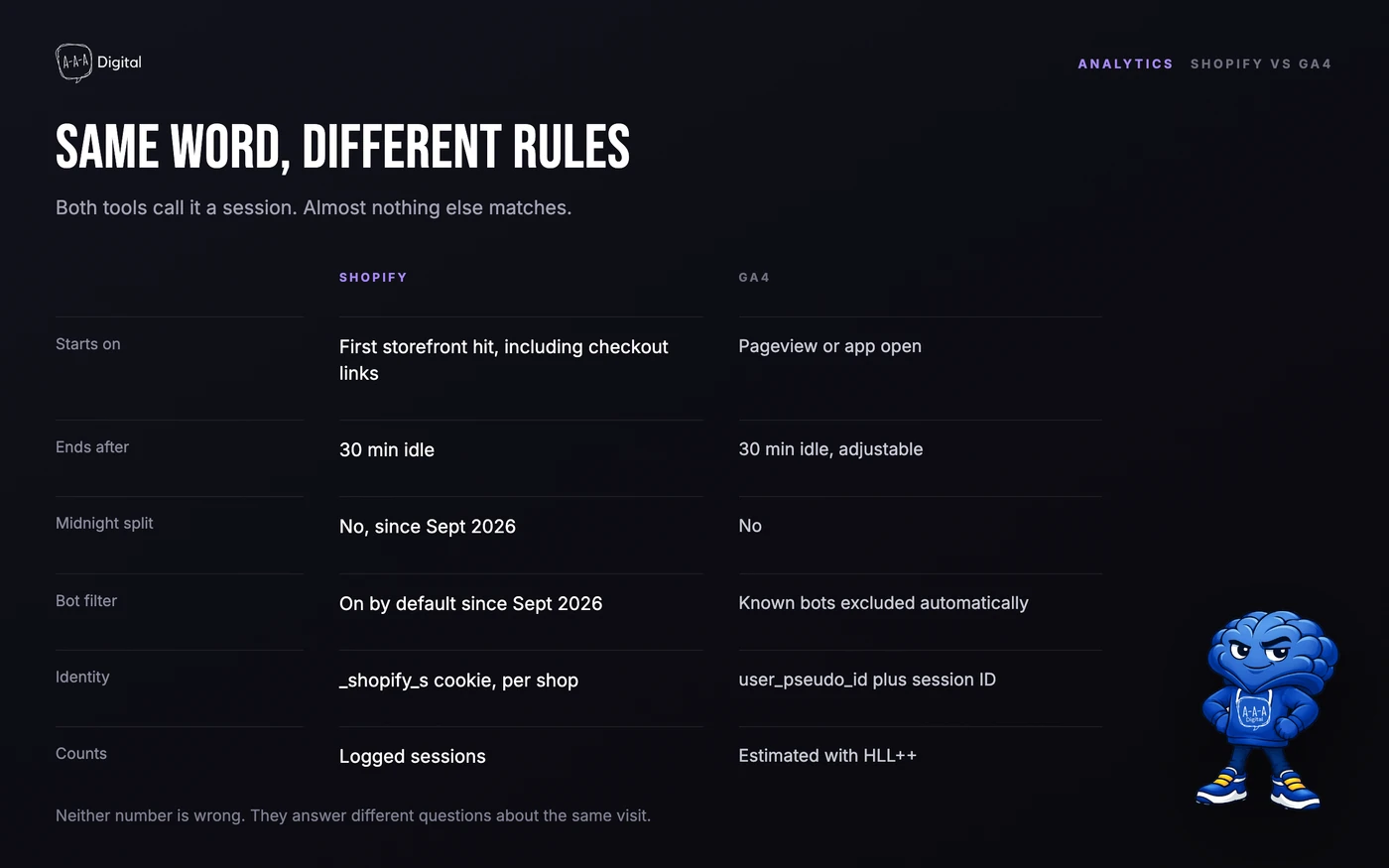
| Shopify | GA4 | |
|---|---|---|
| Starts on | First storefront hit, including checkout links | A pageview or app open with no active session |
| Ends after | 30 minutes idle, fixed | 30 minutes idle, adjustable in property settings |
| Midnight split | No, since September 2026 | No |
| Bot filtering | Identified bots filtered by default since September 2026 | Known bots and spiders excluded automatically |
| Identity | _shopify_s cookie, scoped to one shop | user_pseudo_id plus a session ID |
| Scope | Online Store sales channel | Every surface with the GA4 tag |
| Counting | Logged sessions | Estimated with HLL++ |
| Timezone | Store timezone | Property timezone |
The rules look close. The gaps come from implementation.
Different bot lists. Shopify errs toward calling ambiguous traffic human. Google uses its own known-bot list. A crawler one tool recognizes and the other does not becomes a session in one report and nothing in the other.
Consent and cookie blocking. _shopify_s is an analytics cookie, so where Shopify shows a consent banner it is not set until the visitor accepts. Ad blockers affect GA4 differently, especially when its tag is stripped. A misconfigured consent tool can also overcount, covered below.
Checkout coverage. Shopify checkout runs on a separate, sandboxed surface. A GA4 tag in the theme does not follow the customer into it. Unless you use Shopify's Google Analytics channel, a checkout extensibility app, or a custom pixel, GA4 can lose checkout and purchase events while Shopify counts the session. Our GA4 setup guide covers the fix. The same boundary affects the Meta Pixel.
Redirects and domains. A session that crosses from a marketing site to the store, or through a payment provider and back, can split in one tool and survive in the other. GA4 can stitch domains. Shopify cannot join a session across two shops.
Scope. Shopify only covers the Online Store channel. GA4 covers any page where its tag fires. Ads to a non-Shopify landing page produce GA4 sessions Shopify never sees.
Estimation. Shopify counts from its own logs. GA4 estimates with HyperLogLog++, so small differences are expected. BigQuery gives exact counts.
Timezones. Shopify reports in store timezone, GA4 in property timezone. A late-evening campaign can land on different days.
Why sessions and orders still do not line up
Conversion rate is orders divided by sessions, so the denominator matters. Filter out 20% bots and conversion rate rises without an extra order. Start counting checkout-link sessions and it falls.
Shopify sessions cover the Online Store channel, but orders can arrive through draft orders, POS, manual invoices, or a marketplace. Dividing total orders by online sessions overstates conversion. Use the online store conversion rate.
Attribution also follows the start of the session, not the order. A session that begins at 11:40 pm and converts at 12:10 am belongs to the first day.
How to read the session report
Open Analytics > Reports, then Sessions over time, by referrer, or by location. The Analytics overview gives the headline. Live View gives the last few minutes, with bots already filtered.
Four habits:
- Set the range after September 23, 2026 for a clean baseline. Do not compare a post-update month to a pre-update month without saying so.
- Keep the Human or bot filter consistent across periods, in reports that offer it.
- Read orders and sales alongside sessions. If sessions fell and orders held, the measurement changed.
- Tag campaigns with UTMs so referral reports separate paid, organic, email, and direct. Our UTM builder generates consistent parameters.
If organic sessions are moving, the problem is usually page-level. Our Shopify SEO checklist covers the fixes, and our Shopify SEO service handles the audit.
When the session count is wrong
Cookie rotation is the real failure mode: it inflates sessions and understates conversion rate.
_shopify_s should hold one value for the whole visit. If a script, app, or consent tool clears and recreates it mid-visit, Shopify sees two sessions where a customer had one. Orders do not change, so conversion rate falls.
The usual causes:
- A consent app that clears and recreates analytics cookies on every page load instead of recording the choice once through the Customer Privacy API.
- A theme script or app polling an endpoint such as
cart.jsand rewriting cookies. - The store serving on more than one hostname, so the cookie is set twice under different domains.
- Code that overwrites the cookie with a shorter lifetime or a narrower path.
To check, open the storefront in a private window, open developer tools, and watch _shopify_s under Application > Cookies while you browse three or four pages. Test before answering the consent banner, after accepting, and after declining. A value that changes mid-visit, or a cookie that disappears and reappears, is rotation. The Network tab shows whether a repeating request lines up with each change.
The fix belongs to whoever owns the code. Shopify cannot detect it, and old reports keep the inflated counts.
What the number is good for
Sessions are a traffic and diagnostics metric, not a revenue metric. Use them to see whether a channel is sending more visits, which landing pages attract entry, and whether a campaign produced a spike. Then check orders, average order value, and margin.
Rising sessions with flat orders is usually an acquisition quality problem. Falling sessions with flat orders is usually a measurement change. Our ROI calculator turns sessions, conversion rate, and order value into a number to compare against ad spend. If sessions are healthy and carts are not, the problem sits on the product or cart page, covered by our cart abandonment fixes. Our performance marketing team works on traffic quality.
Frequently Asked Questions
What does sessions mean on Shopify?
One visit to your online store, tracked by the _shopify_s cookie. It starts on the first storefront hit, including a direct link into checkout, and ends after 30 minutes without activity. One visitor can create several sessions.
Why are my Shopify sessions higher than my visitors?
Visitors count unique browsers, while sessions count visits. Someone who browses on Monday and returns on Friday is one visitor and two sessions. Going idle for 31 minutes and coming back adds a session without adding a visitor.
Why do Shopify and GA4 show different session counts?
They use different cookies, bot lists, consent behavior, and checkout coverage. GA4 also estimates sessions with HLL++, while Shopify counts logged sessions. Small gaps are normal. Large gaps usually mean a missing checkout tag or a blocked cookie.
Do Shopify sessions reset at midnight?
No. Since September 2026, a session continues across midnight UTC while the visitor keeps acting. Before that, midnight split it in two, so older reports are not directly comparable.
Is a high session count good?
Only if they convert. Sessions measure traffic, not demand or revenue. Compare them with orders, conversion rate, and average order value.
Sessions are the denominator behind every conversion rate you report. Treat September 2026 as a new starting line, keep the bot filter consistent, and check the cookie before blaming the traffic. If you are closing a store, export the history first: our guide to deleting a Shopify account explains what survives.
