
Shopify has no Delete account button. It has a cancel plan button, a pause option for stores already on it, an ownership transfer, and a remove user button. People call all four "deleting my account", then get surprised by what survives. If the plan itself is the problem, canceling a Shopify subscription is the narrower job.
Closing a store keeps its products, orders, and customers for two years. Erasing customer data from that closed store can take 14 days and makes reopening impossible. Erasing your own merchant data takes up to 30 days and covers every store tied to your email. Removing a staff login is immediate, permanent, and does not touch the store.
The four actions, side by side
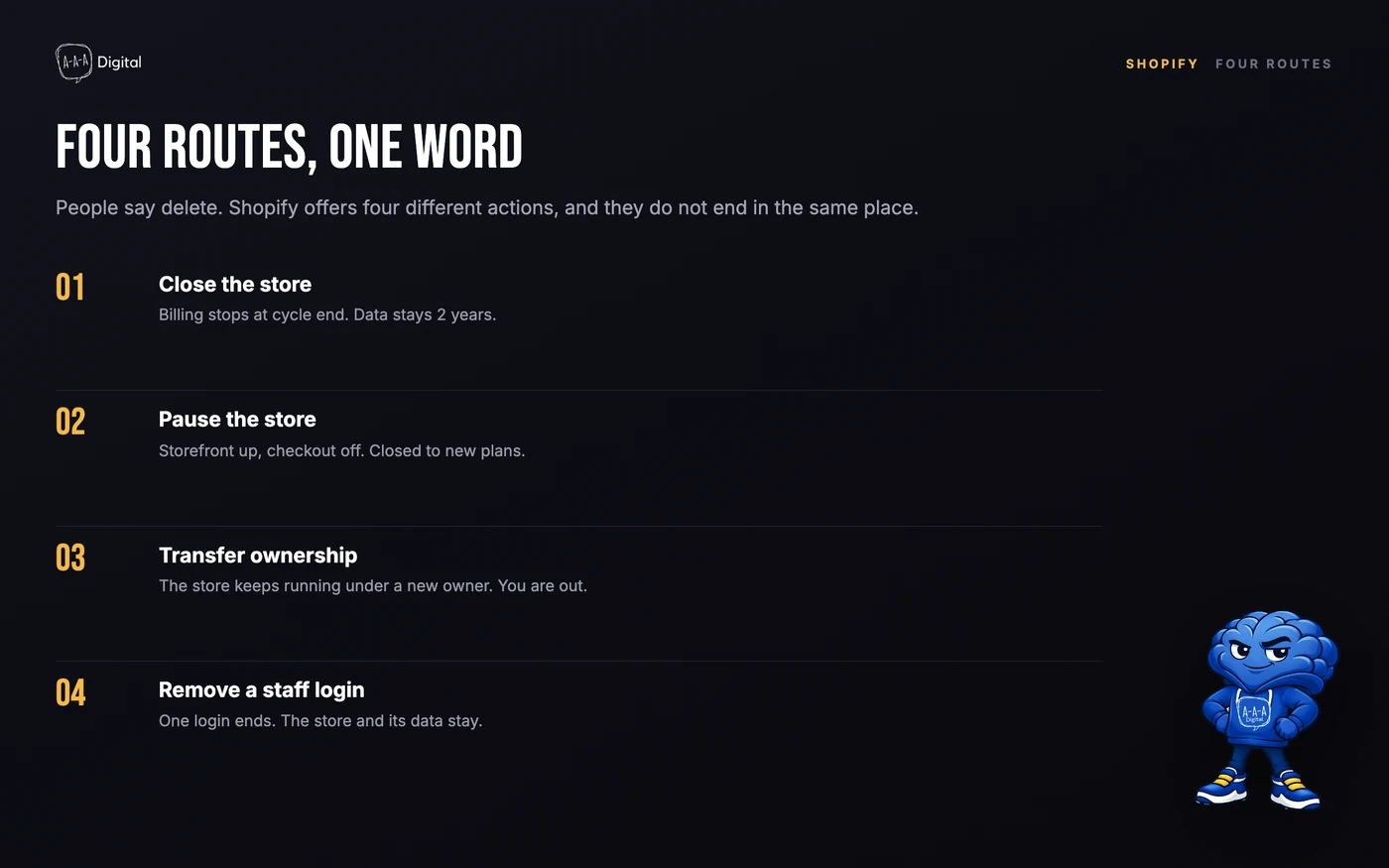
| Action | Where it lives | What it ends | Reversible |
|---|---|---|---|
| Close the store | Settings > Plan > Cancel plan | Billing at cycle end, admin access | Yes, within 2 years |
| Pause the store | Settings > Plan, existing Pause and Build stores only | Checkout, not the storefront | Yes, by choosing a plan |
| Transfer ownership | Settings > Users, or Settings > General | Your ownership and access | Only if the new owner transfers it back |
| Remove a staff login | Settings > Users > Actions > Remove | One person's access | No, deactivate instead |
How to close a Shopify store
This is what most people mean by deleting their account. The store owner has to do it. Shopify Support cannot cancel on your behalf.
- Log in to the store you want to close, as the owner.
- Go to Settings > Plan.
- Click Cancel plan, or Cancel trial if you are still in the trial.
- Review the downgrade options and attached domains. This is your last look at what will disconnect.
- Select Cancel my plan and uninstall all apps, then click Continue.
- Pick a reason and confirm with your password and two-step code.
- Wait for the confirmation email.
The store does not close when you click cancel. It closes at the end of the billing cycle you have already paid for, and you keep admin access until then. Cancel an annual plan halfway through and you do not get the unused months back: subscription charges are non-refundable.
Cancellation also does a few things immediately or at the close date:
- All apps are uninstalled, and any pending app usage, transaction fees, or shipping label charges are billed.
- Pending Shopify Payments payouts still process, but you lose the admin needed to fix a failed payout.
- Chargebacks can still arrive, and you need to reactivate to submit evidence.
- Custom domains disconnect. A Shopify-managed domain keeps renewing unless you transfer it or turn off auto-renew.
- Customers can still reach order status through the upgraded thank you and status pages.
Plus stores contact their Merchant Success Specialist; self-serve does not apply.
What survives, and for how long
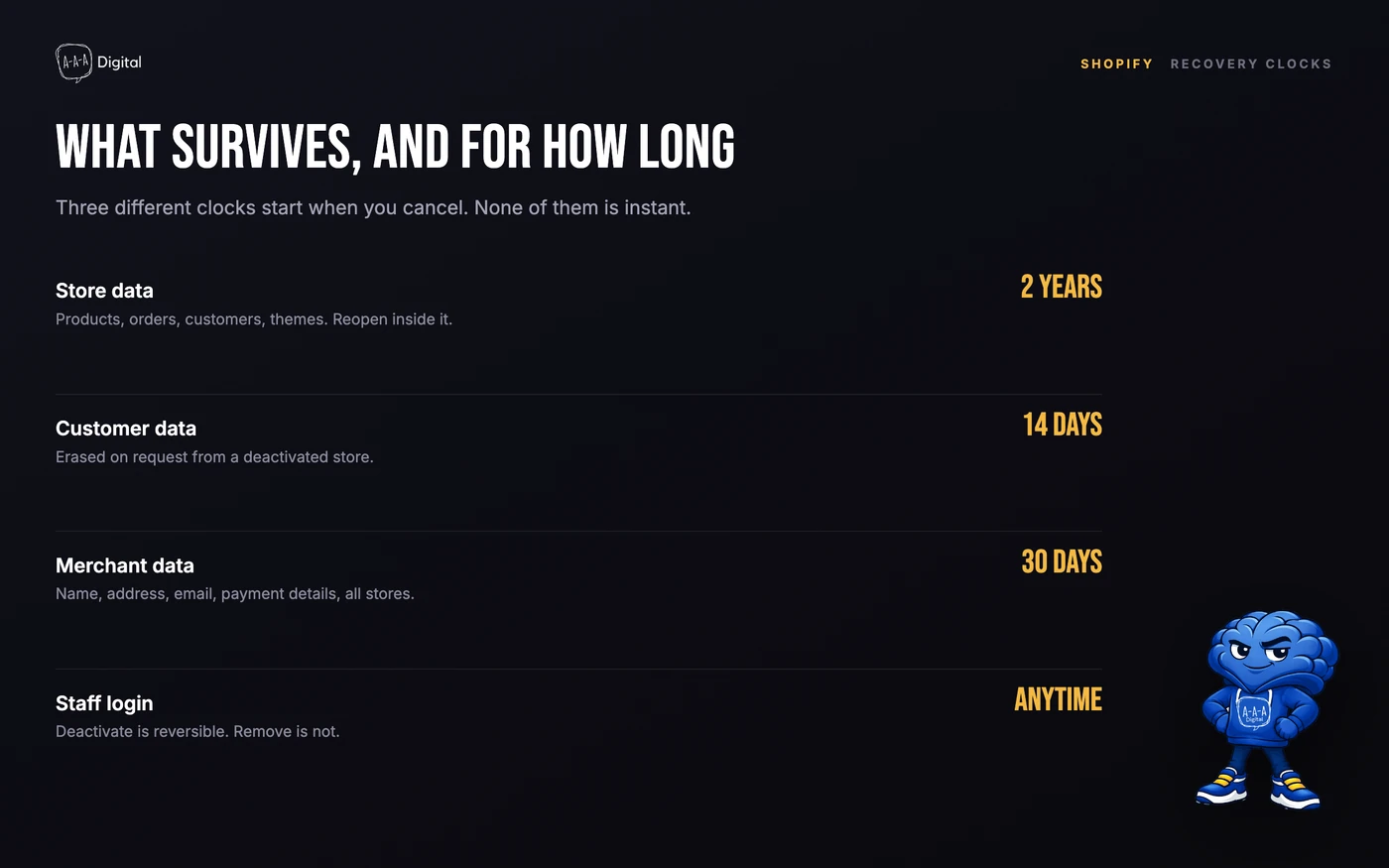
Shopify keeps a deactivated store's information for two years so you can reopen it without rebuilding. That includes products, orders, customers, themes, and settings. You can reactivate inside that window by logging in as the owner, choosing a plan, and updating the payment method.
The two erasure paths shorten that window, and they are not the same request.
Customer personal data from a deactivated store. Only the store owner can request this, and only after the store is deactivated. Shopify Support processes it, and the data is erased within 14 days after the request is completed. If you change your mind, you have to contact Support before the 14 days are up. After that, the store cannot be reopened.
Your merchant personal data. This covers your name, address, email, and payment details across every store tied to your email. You request it at Shopify's privacy controls, not in the admin, and you must confirm that all stores and accounts are closed first. It can take up to 30 days, and it is not recoverable.
Deactivating a staff user blocks sign-in and can be reversed. Removing one is permanent. Neither closes the store or erases its data.
Pausing is not closing
Pause and Build used to be the middle option: a reduced fee, storefront visible, checkout off, admin open. Shopify no longer offers it to new subscriptions, and stores that are not already on it cannot switch.
Existing stores keep the plan while they keep paying. Apps stay active, including third-party apps that bill outside Shopify, so review those separately. When you want to sell again, you pick a new plan because the old agreement no longer applies.
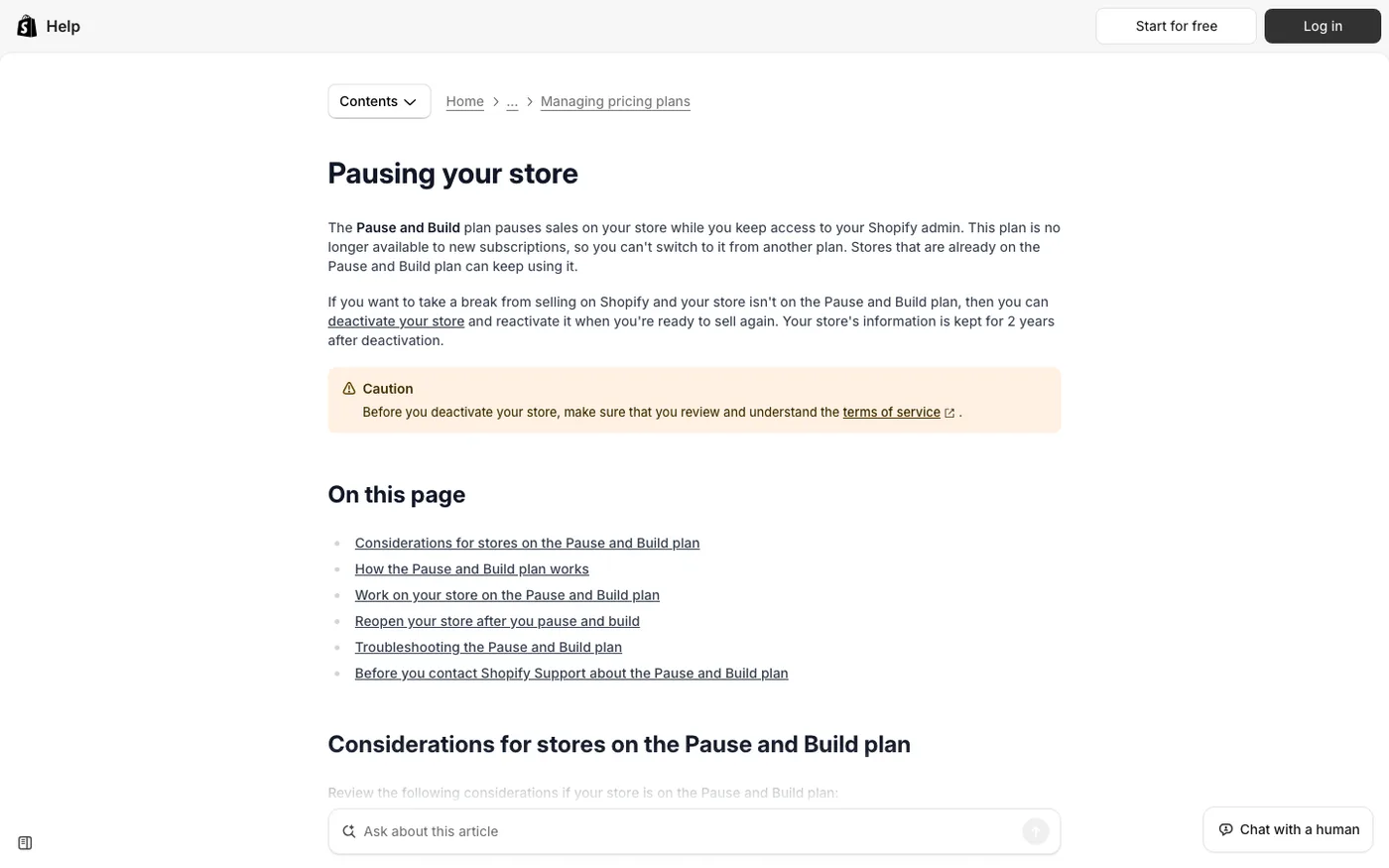
If you are not on it, the choices are to keep paying or deactivate. To hide the storefront for a few weeks while everything stays live, a password page is cheaper. Our guide to coming soon pages on Shopify covers that setup.
Transferring ownership instead
If the business continues without you, transferring ownership beats closing. The store keeps its orders, customers, reviews, and history, and the new owner takes over billing.
For an existing user, go to Settings > Users, open the person, and change the store owner. For someone outside the store, use Settings > General to start a transfer. The new owner accepts from their own account. A store can have only one owner.
Four conditions matter:
- Any unpaid balance below the billing threshold becomes the new owner's responsibility.
- The domain is transferred separately. Ownership of the store does not move the domain.
- You cannot transfer a store with active Shopify Capital or Shopify Credit. A Shopify Balance account must be emptied first.
- Staff keep their store permissions, but organization permissions are removed when the store changes owner or organization.
Deleting a staff login
Go to Settings > Users, open the person, and choose Deactivate or Actions > Remove.
Deactivate suits someone on leave. Their login stops working, and you can reactivate them later. Remove is for someone who is not coming back. It permanently removes their access and their role assignments.
Plan limits decide who can exist. Basic does not include staff accounts. Grow includes five, Advanced fifteen, and Plus unlimited. Collaborator accounts are a separate category and are available on every plan, which is why agencies often appear there rather than as staff. Our guide to Shopify collaborators explains the difference.
You cannot remove the owner's login while they own the store. If the person you want to delete is the owner, transfer ownership first. If you are staff trying to delete your login, ask the owner: the store and its data belong to them.
Erasing the data
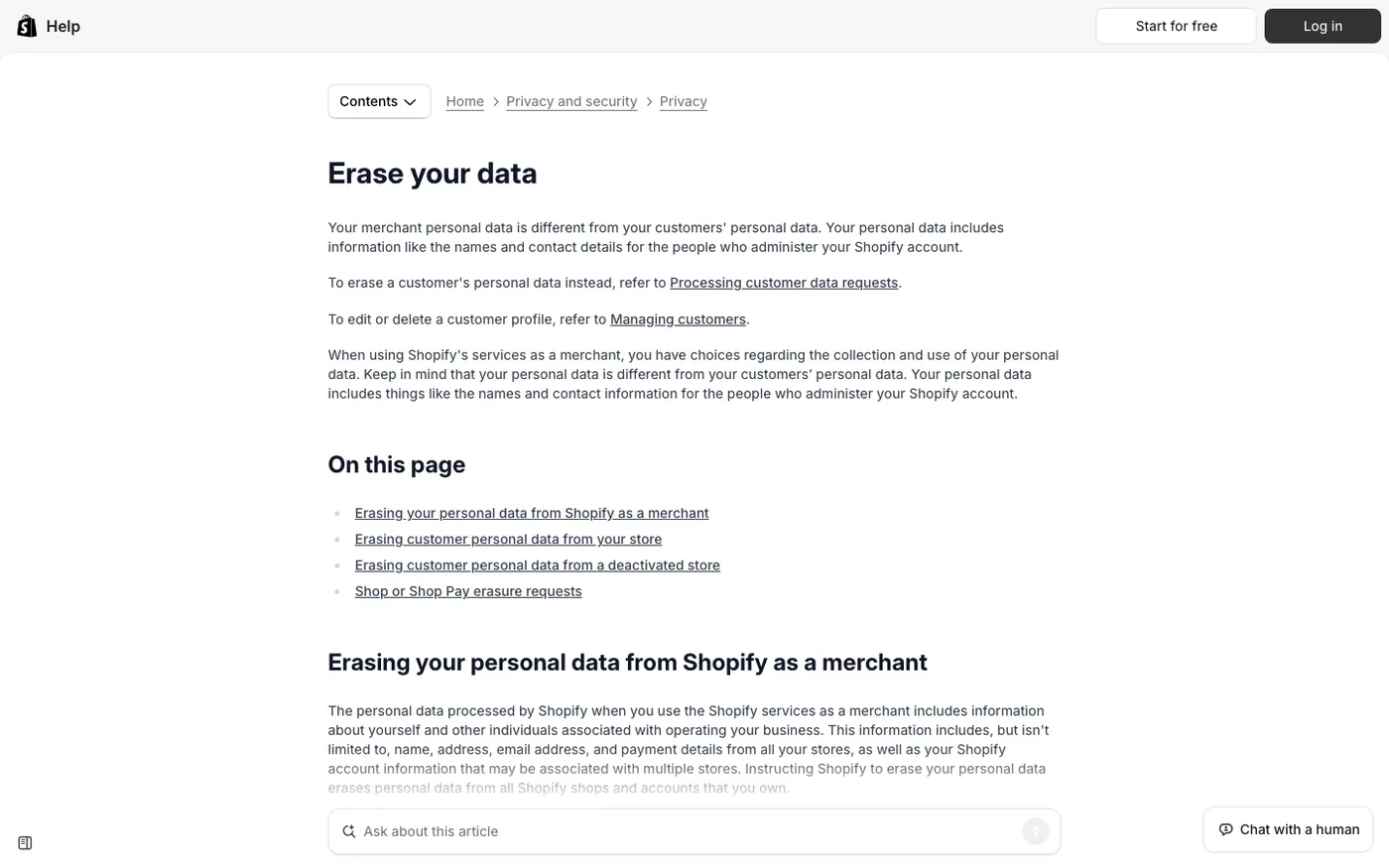
There are two erasure routes, and mixing them up is common.
To erase your own data as a merchant, deactivate every store and account tied to your email, then go to Shopify's privacy controls and choose Erase my data. Shopify says this can take up to 30 days, and it covers all stores you own. This is the closest thing to deleting the account itself.
To erase your customers' personal data, deactivate the store and contact Shopify Support. Only the owner can ask. The data is erased within 14 days, and the store cannot be reopened afterward.
Uninstalling the app, canceling a staff login, or deleting the store from your phone does not trigger either request.
Before you close
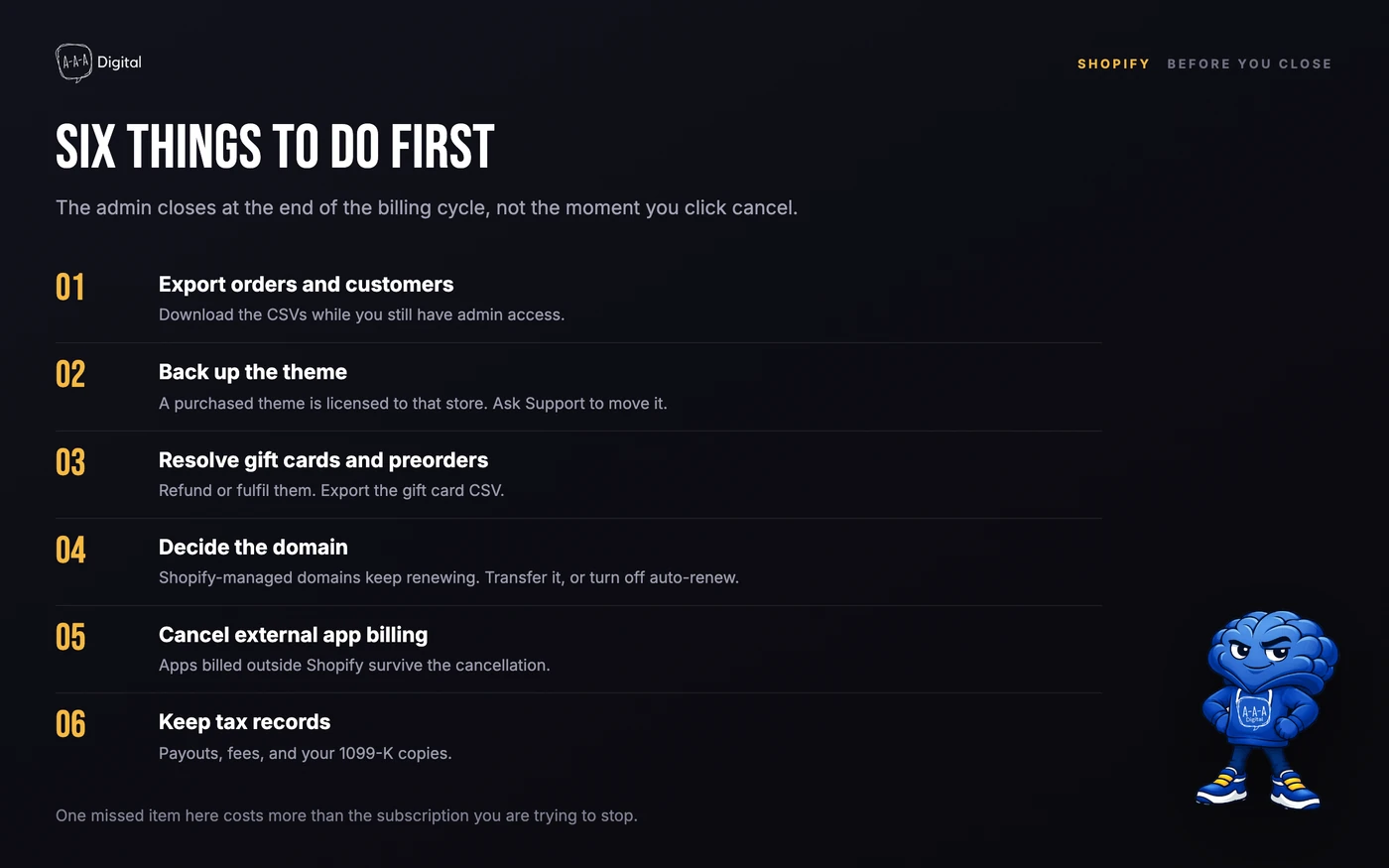
Three items deserve more detail.
Tax records. Download your payout history, fee reports, and any 1099-K copies while you still have admin access. The 1099-K guide explains what to keep and how to reconcile it. Retrieving them later is harder.
Analytics. Store data includes your analytics history, and it goes when the data goes. If you need session counts, conversion rates, or channel performance for a post-mortem, export them first. Our explanation of what sessions mean on Shopify shows which reports are worth saving.
The domain. A Shopify-managed domain renews on its own schedule, even after the store closes. Transfer it to another registrar, or turn off auto-renew, before the next renewal date. If you plan to reuse the name elsewhere, our guide to changing a Shopify store name and domain covers the DNS side.
If you are closing because you are moving platforms, do the migration first and the cancellation second. Our Shopify migration guide and migration service cover redirects, orders, and customer history, which are much harder to rebuild after the fact.
Frequently Asked Questions
How do I delete my Shopify account permanently?
Deactivate every store tied to your email, then request erasure of your merchant personal data through Shopify's privacy controls. That request can take up to 30 days and is irreversible. If you also want customer data erased, contact Shopify Support after deactivation, which takes up to 14 days and prevents the store from reopening.
What happens to my store data when I close Shopify?
Shopify keeps it for two years so you can reopen the store. Products, orders, customers, themes, and settings survive inside that window. After two years it is no longer guaranteed, and after a successful erasure request it is gone.
Can I reopen a store after deleting it?
Yes, within two years of deactivation, if you have not requested data erasure. Log in as the owner, choose a plan, and add a payment method. After erasure, it cannot be reopened.
What is the difference between deactivating and deleting a staff account?
Deactivating blocks a staff login and can be reversed. Removing a user is permanent, and their roles are removed with them. Neither action closes the store, cancels billing, or erases store data.
Does closing my Shopify store cancel my domain?
No. A Shopify-managed domain renews independently and can bill you after the store closes. Transfer it to another registrar or turn off auto-renew before the renewal date.
Closing a store is reversible for two years. Erasing the data is not. Decide before you click cancel. If you are shutting one store to open another, our migration team can move the catalog and redirects, and our ROI calculator will tell you whether the old store earned its keep. For the fee side of the final bill, see what Shopify actually charges.
