A product in Shopify needs exactly two things: a title and a price. Press Save and it is live, which is why stores end up with forty listings that have no weight, no cost per item, and a description copied from the supplier's catalogue.
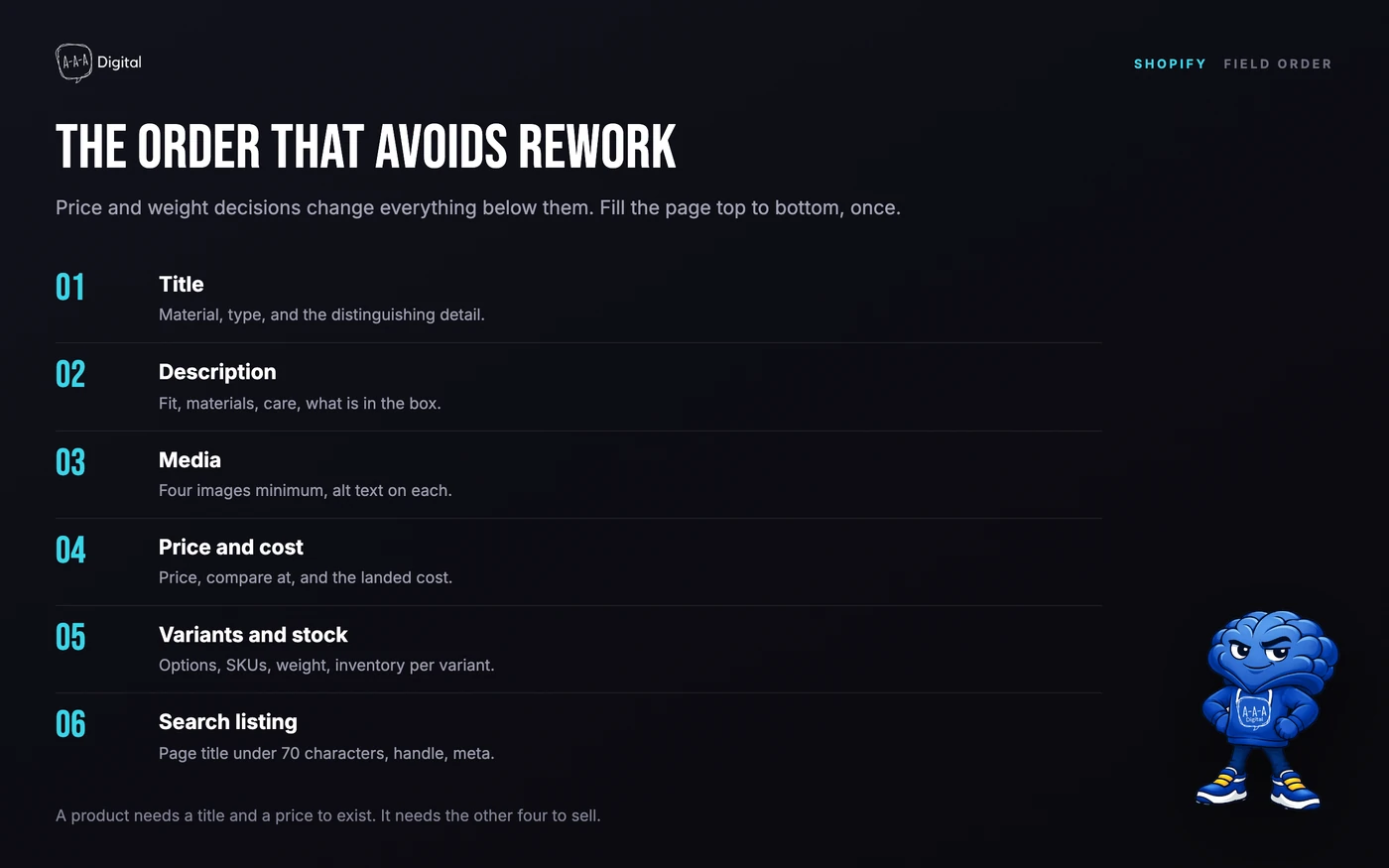
The form is not the problem. The order you fill it in is. Set the fields in the sequence below and you will not have to reopen every product the week shipping rates go live.
What does a Shopify product need before it can sell?
Two required fields, and eight that decide whether it sells: description, media, price, cost per item, weight, inventory, variants, and the search engine listing. Shopify will let you skip all eight. Your customers will not.
The practical test is simple. Open the product on a phone and ask whether a stranger could answer four questions without messaging you: what is it, what does it cost with shipping, when will it arrive, and what happens if it is wrong. Every field below exists to answer one of those.
How do you add a product to Shopify?
Go to Products in the admin, click Add product, and the details page opens. Title, description, media, pricing, inventory, shipping, variants, and the search engine listing all live on this one screen, which is why it is easy to fill the obvious fields and abandon the rest.
Start with the title, not the photo
The title becomes the product's H1, its URL handle, and the default page title in search. Write it the way a customer would search: material, product type, and the distinguishing detail. "Merino Wool Crew Sock" beats "The Everyday Sock" because one of them matches a query.
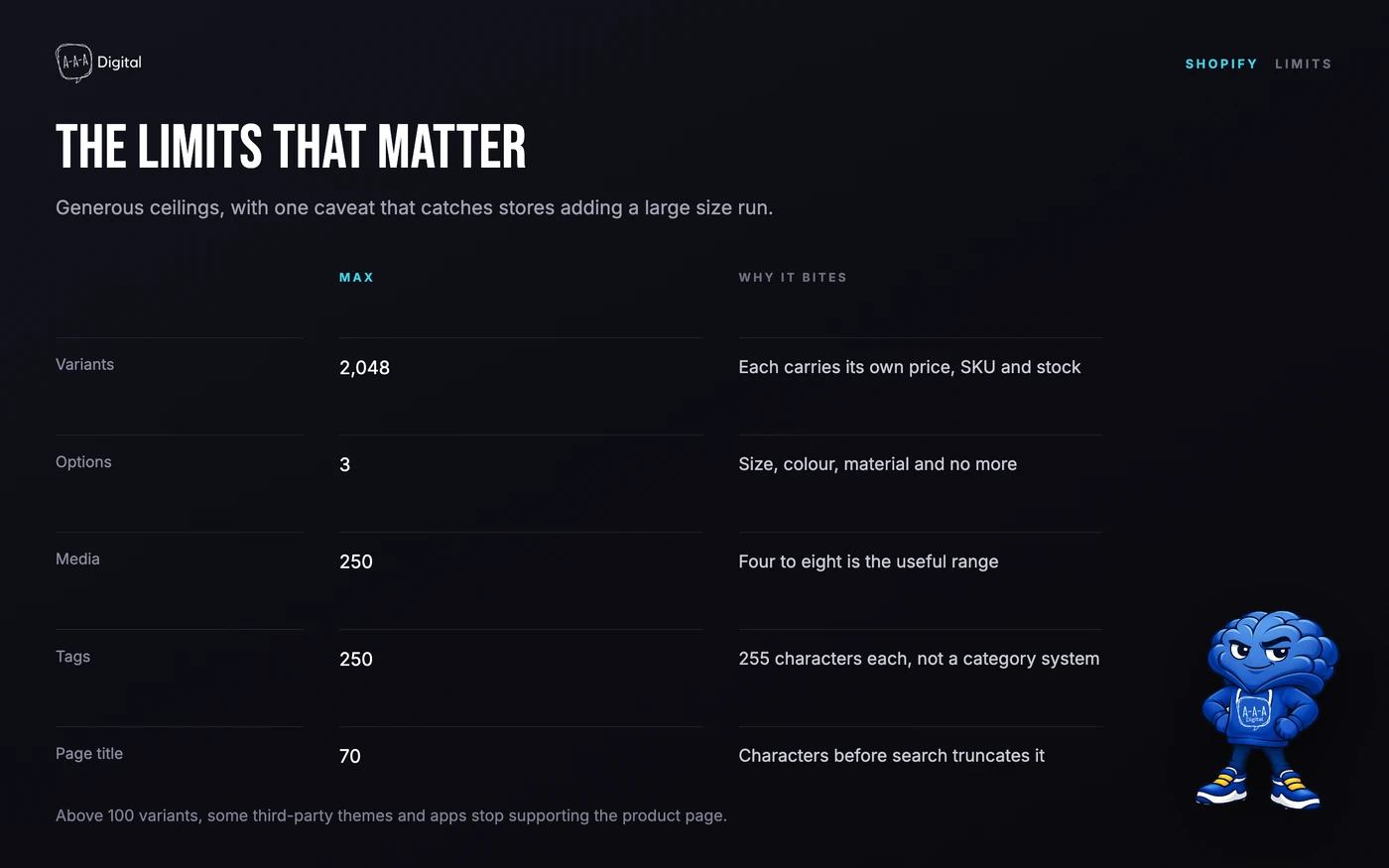
Keep the SEO page title under 70 characters. Shopify's own help documentation warns that a page title longer than 70 characters, or a description longer than 320, may be cut off in search results. That limit applies to the search listing field, not the product title on the page.
Then the description
Write the first two lines as if they are the only ones read, because on a phone they often are. Then cover fit, materials, care, and what is in the box. Supplier copy is duplicated across every store selling the same item, and Shopify's guidance is explicit about avoiding it.
Then media
Four images is the floor: front, detail, scale, and in use. Shopify allows up to 250 media items per product, which is a limit you will never hit by accident and a temptation you should resist. More than eight or nine slows the page and rarely adds a sale.
Add alt text to every image. It is read by screen readers, indexed by search, and displayed when an image fails. The first image in the list is the one used on collection pages, so make it the one that reads clearly at thumbnail size.
How should you price a product?
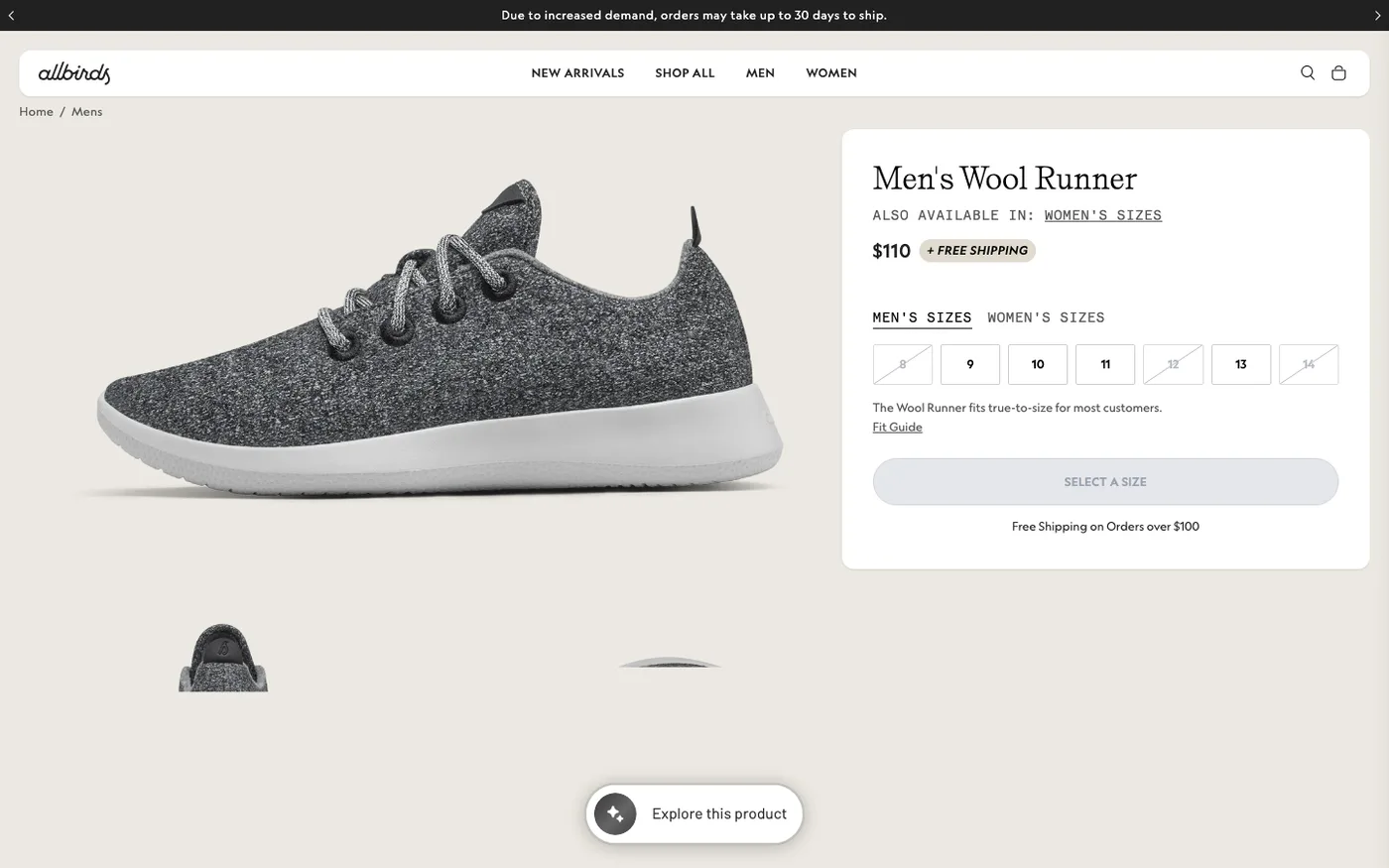
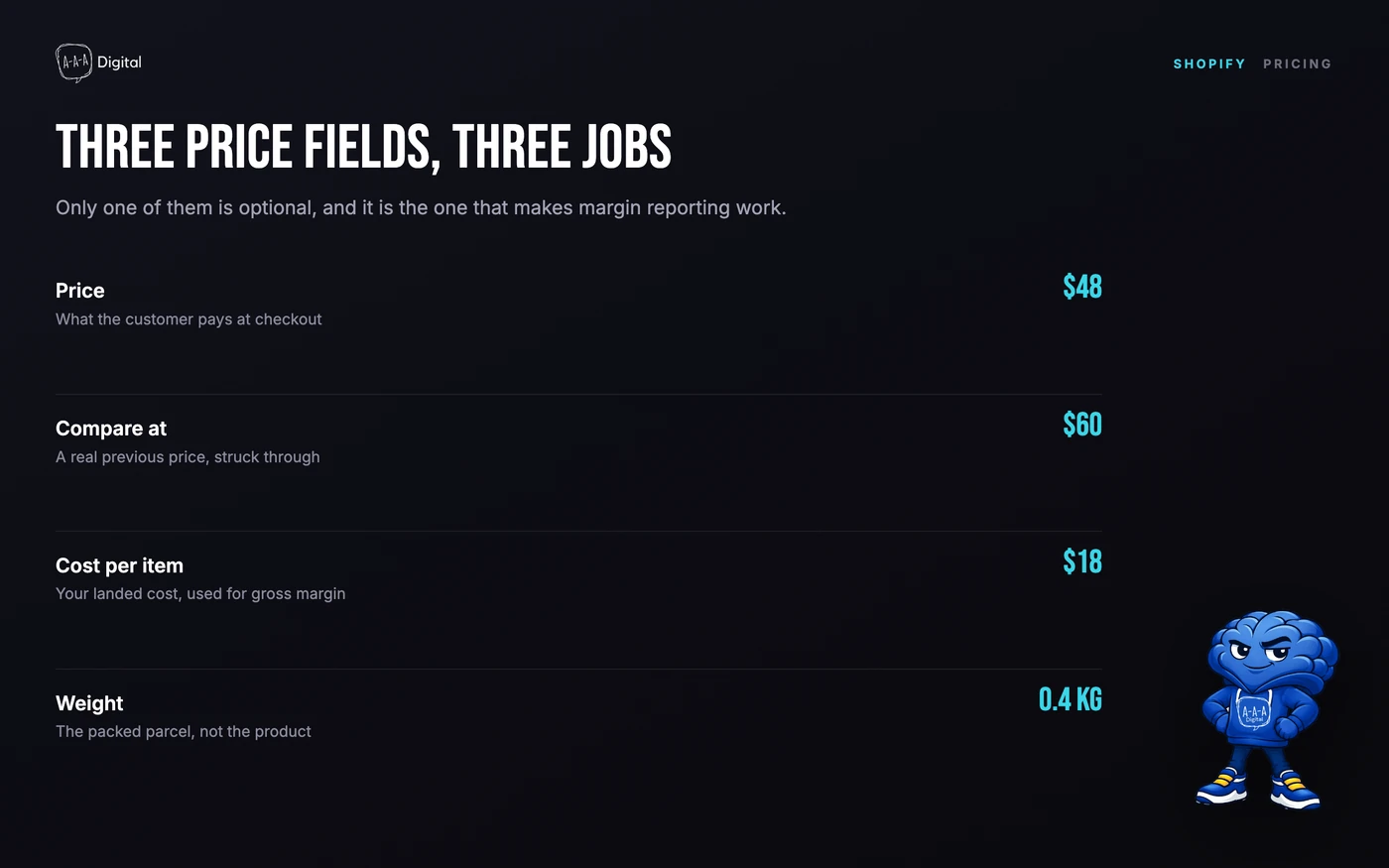
Three fields, three different jobs. Price is what the customer pays. Compare at price shows a struck-through original, and it should only be used for a real previous price. Cost per item is what the product costs you, and it is the field that makes profit reporting possible later.
Enter the cost even though it is optional. Shopify uses it to calculate gross margin in reports, and a store that never filled it in cannot answer the most basic question about which products make money.
A worked example: a product sells for $48, costs $18 landed, and ships for $7 with $9 charged to the customer. Gross margin before card fees is $32, or 67%. At 2.9% plus 30 cents on Basic, card fees on the $57 order total take about $1.95, leaving $30.05. That is the number to compare against ad spend, not the $48.
Tax is a separate switch. The "charge tax on this product" checkbox decides whether tax applies at checkout, and the store-level setting decides whether your displayed prices include it. Get that combination consistent before you add two hundred products, because changing it later changes every price customers see.
How do product variants work?
Variants are the size and colour combinations of one product. A product supports up to three options, and up to 2,048 variants across those options. Each variant carries its own price, SKU, barcode, weight, inventory count, and image.
That is more headroom than most stores need, and there is a catch above 100 variants. Some third-party themes, theme app extensions, and apps do not support more than 100, and Shopify names the legacy Order Printer and Stocky apps as examples. If you are selling a product with 300 combinations, test the product page and your fulfilment apps before you import the whole range.
The common beginner mistake is creating colourways as separate products. That splits reviews, splits inventory, and doubles the work. One product, three options, and a variant image for each colour is the structure that holds.
What inventory settings stop you overselling?
Two settings decide what happens at zero. Track quantity turns stock counting on. Continue selling when out of stock lets orders through even when the count hits zero, which is right for made-to-order and wrong for anything with a fixed shelf.
Leave tracking off and Shopify will sell stock you do not have; leave "continue selling" on by accident and the same thing happens more quietly. Check both on the first product and duplicate it as a template for the rest.
Stock lives per location. Every plan includes ten inventory locations, so a home studio plus a fulfilment centre plus a pop-up is manageable without an upgrade, and stock transfers between them are how you avoid selling the same unit twice.
Why do weight and customs fields matter?
Weight drives carrier-calculated rates and label costs. Weigh the packed parcel, not the product, and enter it in the unit your shipping profile uses. A 200g discrepancy on a hundred orders a month is a real line in the accounts.
For international sales, add the HS code and country of origin. These appear on customs paperwork, and a missing code is a parcel held at a border. Neither field takes long once you have the supplier's spec sheet, and both are painful to backfill across a catalogue.
Should a product be Active, Draft, or Unlisted?
Active publishes the product to every sales channel it is assigned to. Draft keeps it invisible while you work on it. Unlisted publishes it at its own URL but keeps it out of collections, search, and sitemaps, which is the status for pre-launch links, wholesale-only items, and products sold through a direct link only.
That third option is the one most guides skip, and it solves a real problem: sending a preview link to a photographer or a supplier without putting the product in the store's navigation.
How do you add 200 products without losing a weekend?
Use the tools in this order: duplicate, bulk edit, then CSV import. Duplicate a finished product when the new one shares most fields, since everything except 3D models and videos copies across. Use the bulk editor for price and tag changes across a selection. Use a CSV when the catalogue comes from a spreadsheet, which it usually does.
The CSV is unforgiving about handles. The URL handle is generated from the title on creation and does not change when you rename the product, so decide the handle at import. Renaming it later breaks every link and requires a redirect. Our guide to bulk editing Shopify products covers the spreadsheet workflow in detail.
What do beginners get wrong in the first week?
Deleting instead of archiving. Deleted products are gone permanently, along with their URL and history. Archived products move to a separate tab and can be restored to draft. If a product might come back, archive it.
Using tags as categories. Tags are for filtering and collection conditions, up to 250 per product at 255 characters each. Product type and collections are the structural fields. A store that tags everything eventually has a tag list nobody can navigate.
Skipping the search listing. The product page will rank for its title eventually. It will rank faster with a written page title, meta description, and a handle that reads like a URL rather than a SKU. The Shopify SEO checklist covers the fields in the order they matter.
Ignoring the collection. A product with no collection is reachable only by search or a direct link. Build the collection first, add products to it, then link it in the menu. Our guide to collection page SEO covers the structure that ranks.
Forgetting structured data. Product schema is what puts price and availability into search results. Shopify's themes output most of it, and our guide to Shopify structured data covers what to check and what to add.
Frequently Asked Questions
How many products can I add to Shopify?
Unlimited, on every plan including Basic. Shopify does not charge per product or per SKU. What scales instead is app cost, since most inventory and feed apps price by SKU count.
How many images can a Shopify product have?
Up to 250 media items, including images, videos, and 3D models. Four to eight is the practical range. Every image needs alt text, and the first one appears on collection pages.
Can I add products without a barcode or SKU?
Yes. Both are optional. SKUs help you match products to your own records and barcodes speed up fulfilment and POS, but Shopify will create and sell a product with neither.
What is the difference between a product and a variant?
A product is the thing customers browse. A variant is a specific combination of its options, such as medium in navy, with its own price, stock, SKU, and image. Variants share one product page and one set of reviews.
Why is my product not showing in my store?
Check three things: the status is Active rather than Draft, the product is published to the Online Store sales channel, and it has been added to a collection that is linked in a menu. A product can be live and still unreachable.
The product page is where paid traffic either pays back or does not, and our product page conversion guide covers the structure that turns visits into orders. If you want it audited before you scale ads, our Shopify SEO team reviews catalogue, collections, and product copy together, and the Shopify ROI calculator will tell you what each product needs to earn to justify the spend. If the store itself is still being built, start with how to set up a Shopify store.
